facebook
favorite button
super instructor icon
Trusted teacher
This teacher has a fast response time and rate, demonstrating a high quality of service to their students.
member since icon
Since September 2023
Instructor since September 2023
Translated by GoogleSee original
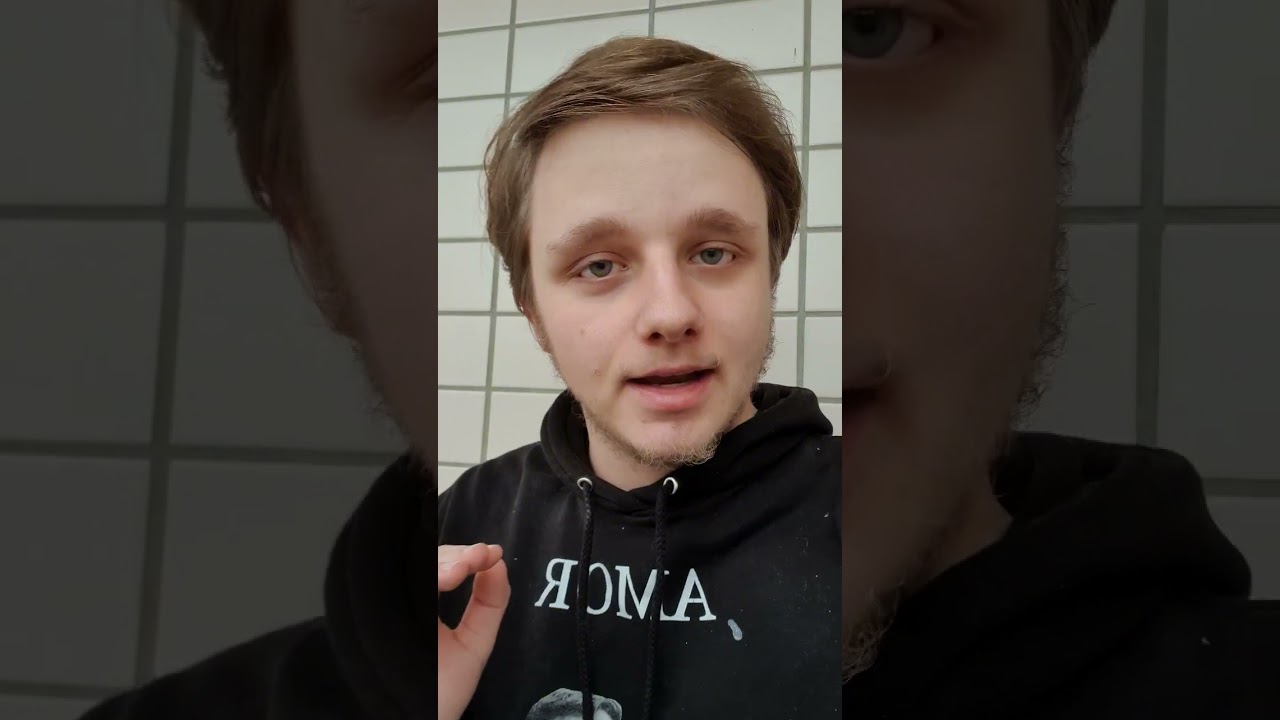
Edit YouTube / TikTok Videos For Beginners! 😁🎥 ENG & NED
course price icon
From 23 £ /h
arrow icon
Join this class to unlock the secrets of captivating video editing in Premiere Pro or CapCut! Whether you opt for the paid version of Premiere Pro or the free and user-friendly CapCut, you'll learn the essential techniques to elevate your video content. From mastering transitions to enhancing visual effects, this class provides step-by-step guidance to help you create professional-looking videos that captivate your audience. 🎬

Language:
English and Dutch 🌐

Key Points:

Mastering video editing in Premiere Pro or CapCut 🎥
Utilizing advanced features and tools for seamless editing 🛠️
Understanding editing principles for engaging content 📝
Enhancing video quality through effective editing techniques 💡
Elevating your video content to the next level 🌟

Join this class to unleash your creativity and take your video editing skills to new heights! 🔑
Extra information
Have a computer or laptop. Premiere Pro is a little heavier, but CapCut is website based and they have an awesome app.
Location
location type icon
Online from Netherlands
About Me
I love helping people in life, supporting them and making sure everyone walks away happy. My goal with this website is to make sure someone walks away with speaking my beautiful and difficult language: Dutch and some extra information about our gorgeous tulip fielded country. 🇳🇱🌷
Education
I have completed the education MBO 4 in The Netherlands and the level for this book was 3F. My teachers tell me I am very good and making stories and helping people in the class. 📚
Experience / Qualifications
I have worked several times in a Call Center in The Netherlands and I have many people were I didn't completely speak the language of into fixing their problems. 📞🗣
Age
Infants (0-3 years old)
Preschool children (4-6 years old)
Children (7-12 years old)
Teenagers (13-17 years old)
Adults (18-64 years old)
Seniors (65+ years old)
Student level
Beginner
Intermediate
Advanced
Duration
30 minutes
45 minutes
60 minutes
90 minutes
120 minutes
The class is taught in
Dutch
English
Reviews
Availability of a typical week
(GMT -04:00)
New York
at teacher icon
Online via webcam
Mon
Tue
Wed
Thu
Fri
Sat
Sun
00-04
04-08
08-12
12-16
16-20
20-24
Join this class to master the art of computer troubleshooting! Whether you're a beginner or have some experience, this class is designed to equip you with the skills needed to diagnose and fix various computer problems. From hardware issues to software glitches, you'll learn step-by-step techniques to identify and resolve common issues that users encounter. With practical demonstrations and hands-on exercises, you'll gain confidence in troubleshooting and problem-solving, empowering you to tackle computer problems with ease. Don't let technical issues hold you back – enroll now and become a proficient computer troubleshooter! 💻🔧
Read more
In this class, you will learn how to create eye-catching thumbnails for your YouTube videos. Whether you prefer using Photoshop or the free and user-friendly Canva platform, I've got you covered! With step-by-step guidance, you'll master the art of thumbnail design to attract viewers and increase engagement. 🚀

Language:
English and Dutch 🌐

Key Points:

Creating visually appealing thumbnails 🖼️
Utilizing Photoshop or Canva 🎨
Design principles for YouTube thumbnails ✏️
Optimizing thumbnails for viewer engagement 💡
Enhancing video visibility through effective thumbnail design 🌟

Join this class to unlock the secrets of captivating thumbnail creation and take your YouTube channel to the next level! 🔑
Read more
Show more
arrow icon
Similar classes
arrow icon previousarrow icon next
verified badge
Learn the basics and specialize

- Understand the basics of the program and its interface
- Learn the tools and their functionalities
- Export parameters and file types

You create with the assistance of the teacher and learn what you really need in the context of your activity, whether amateur or professional.
verified badge
Most kids think coding is for "smart kids" or "future programmers."
It's not. Coding is how real people solve real problems.
In this class, we skip the theory. Your child creates real things.

What they'll do:
✓ Build real projects in Scratch: a working game, an interactive animation, a story they coded
✓ Program virtual robots: solve real-world challenges (navigate a maze, automate a task, build a system)
✓ Create in Minecraft Education: design worlds, automate constructions, solve logic problems
✓ Experiment with different languages: not just learn "the right way," but understand that there are many ways to think about a problem
✓ Collaborate and share: work with other kids, get feedback, improve their work
✓ Develop logical thinking: not just for coding, but for anything: solving math problems, science challenges, real-world situations


Why this is different:
We don't teach syntax. We teach how programmers think.
Most children's coding courses say "here's the code, copy it." We teach "what problem are we trying to solve? How could we break it into steps? What options do we have?"
When your child learns to think like a programmer, they can learn any language afterward.

What they take home:
A portfolio of 3–4 completed, working projects. The ability to say "I built this." And the deep understanding that code is a tool to make real things happen.

Format: Online or Barcelona | 60–90 min sessions | Flexible pace, no prior experience needed
For curious 8-12 year olds who want to build.
verified badge
How to prepare for a media interview? What means should be used to fight his fear of the camera and improve his image? How to present yourself and your project in front of a camera?

How to present yourself and your project to the media?

Targeted content according to your project: Verbal and / or gestural communication; Seduction of the lens and / or microphone; Improvisation in front of a microphone and / or a camera; Voice & gaze; Games of one or two cameras; Chronic; Animation; Reportage; Direct radio & TV; Interview; Narration; Speech in all its forms (...)

In short, several objectives:
◾ Confront your shyness in front of the microphone / camera.
◾ Understand his speech and his diction.
◾ Taming the media environment (radio / tv).
◾ Familiarize yourself with your image and voice.
◾ Manage your speaking time.

Through exercises (diction, voice, presence, breathing, presentations, time management, etc.), role plays, interview simulations and familiarization with one's image and voice, the participants move at their own pace in a flexible educational framework.

Note that during the videoconference session, all the notes are transcribed in the chat so that you can access them at any time when you wish.

Indeed, speaking is a predominantly physical activity, which, while taking care of its image, is based on a body, a voice, a breath, a rhythm (diction) and an emotion (the imagination and the sensations ) reflecting the speaker's involvement in his speech. How to send a clear message? How to make the difference, to make an impression?

Knowing how to speak, act and interact in public is almost a necessity today: your public speaking must be effective and efficient with clear, simple and powerful messages.

Simple and pragmatic tools will be presented for: generating listening ● making an impression ● fostering confidence ● generating need ● motivating teams by explaining a strategy ● getting messages across within groups ● overcoming shyness by assimilating 3 CRV axes (body-breathing-voice) ● better manage disagreement or conflict.

Mastered, the method allows:
• improve self-confidence and stress management with the development of the speaker's fluency (verbal-bodily), his public speaking and his sense of repartee and improvisation.
• to work on their ease, leadership, charisma, creativity and personal development through scenarios.
* improve the characteristics of the spoken voice (timbre, pitches, intention, flow).
* get your message across through your image, while gaining improvisation skills and responsiveness.

Supplemented by basic exercises (diction, voice, presence, breathing, presentation, time management), role plays, improvisations and simulations. With the key word: pronunciation, diction / articulation, the sense of repartee.

Statistically, the progression following these private sessions is quickly noticeable, from 2 sessions. ( study 2020).


Trained in Grande Ecole post-preparatory classes & Ivy League university in the United States, specialized and has worked for more than 15 years, in Europe and North America, in the field of communication and public speaking, in renowned international public and private establishments, intervening in forums and conferences, and oriented on pedagogy and careful methodology.

- Locations: Geneva - Lausanne - Friborg - Neuchâtel - Montreux - Basel - Sion - Sierre - Morges - Bienne. But currently and until further notice, only by videoconference in accordance with national recommendations on Covid.

These sessions also seem to be perfectly unanimous since they have the advantages of live (example: quality of the interaction), without its disadvantages (example: loss of travel time), with additional advantages (example: of notes on the chat, which can be reread afterwards). In this context, these videoconference sessions for which you have requested me, seem to suit everyone perfectly, take place in a very optimal way and generate a certain enthusiasm (and a certain enthusiasm). That is why, at your request, I continue to offer this option. Take good care of yourself and yours!

PROGRAM
À la carte program: evaluated and adapted to each need.
verified badge
Welcome!

I have already completed my master’s degree in mechanical engineering and am currently doing my doctorate.

Tutoring is offered in

✔AutoCAD
✔CREO
✔NX
✔SolidEdge
✔Inventor
✔SolidWorks
✔Ansys
✔CFX
✔Fluent
✔OpenFoam
✔Word
✔OneNote
✔Excel
✔Visio
✔Matlab
✔Simulink
✔German
✔English

+ other subjects on request

When contacting please
Class / study / training and subject
notify!

I'm looking forward to your messages.
verified badge
In this course, you will learn how to create photorealistic renderings using Blender software. This free and open-source software has seen its notoriety skyrocket in recent years, as it offers tools and results similar to what is done on standard and paid software such as 3d Studio Max or Maya, all in one interface. intuitive and ergonomic workflow.

In this course, you will be able to learn:
-The basics of 3D modeling and 3D in general
-Materials (shaders)
-The highlighting
-Renderings
-Post production

Gradually, we will solidify these skills to learn how to create entire scenes, representing environments, objects, and buildings.

It is also possible to present your projects to me and to obtain personalized help on them.
verified badge
Learn to draw by observing the world around you.
In these classes we will explore drawing from life: people, places and everyday scenes.

We can work from real objects, photographs, or illustrations.
If you're interested in manga, ink drawing, or ukiyo-e (traditional Japanese woodblock prints), we can also explore that style.

If you have something you'd like to draw, you can bring it to class.
If not, we will use reference materials that I have prepared.

No prior experience is necessary. Beginners are welcome.

You can draw on paper with a pencil or marker, or also on a tablet if you prefer to work digitally.

The classes are adapted to your level and your interests.

I am currently based in Tokyo and offer in-person classes in Tokyo, Yokohama, and Kawasaki, as well as online classes.
If you wish, we can also go outside and draw together while observing the city.
verified badge
Want to create impactful visuals and professional videos without using complex software? This comprehensive Canva course is for you!

🔹 Course objective: To teach you how to easily design dynamic visuals and videos for your personal, professional, or school projects, using the Canva tool, accessible to all.

✅ What you will learn:

Graphic design:
- Getting started with the Canva interface (free or Pro version)
- Creation of visuals: social media publications, flyers, logos, CVs, posters, presentations, etc.
- Mastery of models, typography, colors, effects, layers and backgrounds
- Design of brand kits for consistent communication
- Layout tips for a professional look

Video editing on Canva:
- Create videos from templates or from scratch
- Adding and editing video clips, images, animations and effects
- Integration of music, voice-over and subtitles
- Using the timeline, cutting, transitions and rhythm
- High quality export for YouTube, Instagram, TikTok, etc.

🧑‍🎓 This course is ideal for:
- Content creators, community managers, self-employed
- Students, teachers, trainers
- Freelancers and small businesses
- Anyone who wants to easily produce quality visual and video content

🛠️ Methodology:
Interactive and 100% practical training. Each participant creates their own visuals and videos from the very first sessions. The program can be adapted to your goals.

📍 Format: Online or in person (to be agreed)
⏱️ Duration: Flexible according to your needs (beginner or advanced)
💬 Language: French

🚀 Create your own visuals and videos with Canva – no complicated software, no hassle. Join this course and develop your creative superpowers!
verified badge
📍 This is NOT another course. This is a mentoring 1:1 design program where you don't wander around — you learn to think like a designer.

Whether you need:
🎨 theory (composition, colors, typography)
🖥️ learn or upgrade software skills (Photoshop, Illustrator, InDesign...)
📚 or a combination of both - the classes are personalized to you and your pace.
👉 If you already have basic knowledge, we can work together on creating and arranging your portfolio - so that it shows your creativity
🌿 I am a designer with 17 years of experience and 9 years of formal education. Under my mentorship, you will get practical advice, help with active projects, support and clarity at every step. I guide you through the process until you become an independent designer, ready for international clients, freelance projects or full-time remote positions.

📩 Send me a message and book your appointment.
Your first step towards professional design can start today. ✨
verified badge
Learn Photoshop for photographers – from photo editing to professional output

Are you a photographer and want to make your photos look more professional? In this lesson you will learn to use Adobe Photoshop the way a photographer really needs to, away from the complicated tools that you wouldn't use in your daily work.

We will start with the basics if you are a beginner, then move on to professional techniques that photographers use to enhance images and prepare them for delivery or publication.

What will you learn?

Getting acquainted with the Photoshop interface and its most important tools.
Organize photography files and work professionally.
Color and lighting correction.
Removing imperfections and cleaning up photos (Retouching).
Crop images and adjust the composition.
Using layers and masks.
Merging and non-destructive editing.
Preparing images for printing or posting on social media.
Creating a fast workflow saves time while processing a large number of images.

Who is this lesson for?

Beginner photographers.
Event and wedding photographers.
Product photographers.
Content creators.
Anyone who wants to become a professional photo editor using Photoshop.

Teaching method
The lesson is largely based on practical application, where we will work on real images step by step, explaining why each tool is used and how to achieve the best result as quickly as possible.

By the end of the course you will be able to edit your photos professionally, and create a structured work style that helps you deliver high-quality images to your clients.
verified badge
Learn how to create beautiful, professional-looking designs using Canva! Whether you're a student, small business owner, content creator, or just want to improve your design skills, I'll teach you how to confidently use Canva to create presentations, social media graphics, flyers, resumes, posters, and more.

Lessons are tailored to your skill level and focus on practical, hands-on learning.

Topics include:

Canva basics and navigation
Creating social media posts
Presentations and school projects
Flyers, posters, and brochures
Brand kits and templates
Editing photos and videos
Tips for creating professional designs

No prior design experience is needed!
verified badge
I can teach you design and make more nice and attractive i can make your project more beautiful at the same time strong and it will be nice decoration and gift if ever you want you can also join school competition with my design and idea ...
verified badge
Online University Art and Design Portfolio Preparation.

Are you applying to university for a creative subject?

I offer personalised one-to-one online portfolio mentoring for students applying to art and design courses in the UK and internationally.

I am an experienced art educator, graphic designer and researcher with more than 30 years of teaching experience. Most recently, I taught international students at EF Academy Oxford, supporting learners from a wide range of cultural and educational backgrounds.

I am based in Oxford and can support students in university portfolio preparation to study Art, Graphic Design, Graphic Communication Design, Fashion Design, Architecture, Interior Design, Illustration, Photography, Textile Design, Product Design, Animation, Foundation Art and Design, and other creative programmes.

My guidance may include:

1- Developing original ideas and personal themes.
2- Strengthening sketchbooks and creative processes.
3- Developing creative ideas and experimenting with materials and techniques.
4- Strengthening drawing, painting, design and visual communication skills.
5- Selecting, refining and presenting work for university portfolios.
6- Personal-statement and interview preparation.
7- Understanding the expectations of UK art and design courses.

My approach is supportive, honest and individually tailored. I help students recognise what is already strong in their work and understand how to develop it further.

Portfolio preparation requires regular effort, so I work best with motivated students who are prepared to engage seriously with the creative process.

Online lessons are available internationally.
verified badge
Whether you're a complete beginner or looking to improve your design skills, this class will help you build confidence and create professional-quality designs. You'll learn the principles of graphic design, branding, typography, colour theory, layout, and visual communication while gaining practical experience using Adobe Illustrator and Photoshop.

The lessons are hands-on and tailored to your goals. You'll work on real-world projects such as logos, flyers, social media graphics, posters, business cards, and complete brand identities. I'll also share industry tips, creative workflows, and best practices that I've developed through years of working with businesses, organisations, and personal brands.

By the end of the course, you'll have practical skills, a stronger design portfolio, and the confidence to take on freelance projects, build your own brand, or pursue a career in graphic design.
verified badge
As a qualified graphic designer and illustrator, I offer private lessons in drawing, design and support for applications to art schools.

My background: Bac STD2A → DNMADE Graphic Design, Illustration & Micro-Publishing → Master's in Design from Sorbonne University. I am familiar with the procedures for each stage, the expectations of the juries, and common mistakes in applications.

What I propose:
** Portfolio coaching (Parcoursup, art schools, BTS, DNMADE, bachelor's, master's)
** Guidance support in art & design programs
** Traditional and digital drawing courses
** Introduction to techniques: screen printing, engraving, printing

How it works:
Your first 1-hour session (in person or via video conference) is free to help us understand your profile and goals. Then we'll work together to create a personalized program, whether short-term or long-term, with a price tailored to your needs.

Travel possible within Paris and the Paris region.

All levels, all ages.
verified badge
Want to edit your photos, create original visuals, or make GIFs without paying for expensive software subscriptions? Learn to master GIMP, the free and open-source alternative to Photoshop!

Whether you have a specific project or are starting from scratch, I will support you in a progressive and practical way.

In the program :
The basics of the software: Interface, layer management, selection tools.
Photomontage techniques: Clean cutout, element insertion, fades and assembly.
Retouching & effects: Light/color correction, filters and finishing.
Creation & export: Posters, web visuals, animated GIFs.

My method:
If you have a project in progress, we'll address your roadblocks directly. Otherwise, we'll follow a step-by-step process based on simple and fun exercises. With GIMP, images become like Lego: your creativity is the only limit!
Video thumbnail
Play icon
Milan's video
message icon
Contact Milan
repeat students icon
1st lesson is backed
by our
Good-fit Instructor Guarantee
Similar classes
arrow icon previousarrow icon next
verified badge
Learn the basics and specialize

- Understand the basics of the program and its interface
- Learn the tools and their functionalities
- Export parameters and file types

You create with the assistance of the teacher and learn what you really need in the context of your activity, whether amateur or professional.
verified badge
Most kids think coding is for "smart kids" or "future programmers."
It's not. Coding is how real people solve real problems.
In this class, we skip the theory. Your child creates real things.

What they'll do:
✓ Build real projects in Scratch: a working game, an interactive animation, a story they coded
✓ Program virtual robots: solve real-world challenges (navigate a maze, automate a task, build a system)
✓ Create in Minecraft Education: design worlds, automate constructions, solve logic problems
✓ Experiment with different languages: not just learn "the right way," but understand that there are many ways to think about a problem
✓ Collaborate and share: work with other kids, get feedback, improve their work
✓ Develop logical thinking: not just for coding, but for anything: solving math problems, science challenges, real-world situations


Why this is different:
We don't teach syntax. We teach how programmers think.
Most children's coding courses say "here's the code, copy it." We teach "what problem are we trying to solve? How could we break it into steps? What options do we have?"
When your child learns to think like a programmer, they can learn any language afterward.

What they take home:
A portfolio of 3–4 completed, working projects. The ability to say "I built this." And the deep understanding that code is a tool to make real things happen.

Format: Online or Barcelona | 60–90 min sessions | Flexible pace, no prior experience needed
For curious 8-12 year olds who want to build.
verified badge
How to prepare for a media interview? What means should be used to fight his fear of the camera and improve his image? How to present yourself and your project in front of a camera?

How to present yourself and your project to the media?

Targeted content according to your project: Verbal and / or gestural communication; Seduction of the lens and / or microphone; Improvisation in front of a microphone and / or a camera; Voice & gaze; Games of one or two cameras; Chronic; Animation; Reportage; Direct radio & TV; Interview; Narration; Speech in all its forms (...)

In short, several objectives:
◾ Confront your shyness in front of the microphone / camera.
◾ Understand his speech and his diction.
◾ Taming the media environment (radio / tv).
◾ Familiarize yourself with your image and voice.
◾ Manage your speaking time.

Through exercises (diction, voice, presence, breathing, presentations, time management, etc.), role plays, interview simulations and familiarization with one's image and voice, the participants move at their own pace in a flexible educational framework.

Note that during the videoconference session, all the notes are transcribed in the chat so that you can access them at any time when you wish.

Indeed, speaking is a predominantly physical activity, which, while taking care of its image, is based on a body, a voice, a breath, a rhythm (diction) and an emotion (the imagination and the sensations ) reflecting the speaker's involvement in his speech. How to send a clear message? How to make the difference, to make an impression?

Knowing how to speak, act and interact in public is almost a necessity today: your public speaking must be effective and efficient with clear, simple and powerful messages.

Simple and pragmatic tools will be presented for: generating listening ● making an impression ● fostering confidence ● generating need ● motivating teams by explaining a strategy ● getting messages across within groups ● overcoming shyness by assimilating 3 CRV axes (body-breathing-voice) ● better manage disagreement or conflict.

Mastered, the method allows:
• improve self-confidence and stress management with the development of the speaker's fluency (verbal-bodily), his public speaking and his sense of repartee and improvisation.
• to work on their ease, leadership, charisma, creativity and personal development through scenarios.
* improve the characteristics of the spoken voice (timbre, pitches, intention, flow).
* get your message across through your image, while gaining improvisation skills and responsiveness.

Supplemented by basic exercises (diction, voice, presence, breathing, presentation, time management), role plays, improvisations and simulations. With the key word: pronunciation, diction / articulation, the sense of repartee.

Statistically, the progression following these private sessions is quickly noticeable, from 2 sessions. ( study 2020).


Trained in Grande Ecole post-preparatory classes & Ivy League university in the United States, specialized and has worked for more than 15 years, in Europe and North America, in the field of communication and public speaking, in renowned international public and private establishments, intervening in forums and conferences, and oriented on pedagogy and careful methodology.

- Locations: Geneva - Lausanne - Friborg - Neuchâtel - Montreux - Basel - Sion - Sierre - Morges - Bienne. But currently and until further notice, only by videoconference in accordance with national recommendations on Covid.

These sessions also seem to be perfectly unanimous since they have the advantages of live (example: quality of the interaction), without its disadvantages (example: loss of travel time), with additional advantages (example: of notes on the chat, which can be reread afterwards). In this context, these videoconference sessions for which you have requested me, seem to suit everyone perfectly, take place in a very optimal way and generate a certain enthusiasm (and a certain enthusiasm). That is why, at your request, I continue to offer this option. Take good care of yourself and yours!

PROGRAM
À la carte program: evaluated and adapted to each need.
verified badge
Welcome!

I have already completed my master’s degree in mechanical engineering and am currently doing my doctorate.

Tutoring is offered in

✔AutoCAD
✔CREO
✔NX
✔SolidEdge
✔Inventor
✔SolidWorks
✔Ansys
✔CFX
✔Fluent
✔OpenFoam
✔Word
✔OneNote
✔Excel
✔Visio
✔Matlab
✔Simulink
✔German
✔English

+ other subjects on request

When contacting please
Class / study / training and subject
notify!

I'm looking forward to your messages.
verified badge
In this course, you will learn how to create photorealistic renderings using Blender software. This free and open-source software has seen its notoriety skyrocket in recent years, as it offers tools and results similar to what is done on standard and paid software such as 3d Studio Max or Maya, all in one interface. intuitive and ergonomic workflow.

In this course, you will be able to learn:
-The basics of 3D modeling and 3D in general
-Materials (shaders)
-The highlighting
-Renderings
-Post production

Gradually, we will solidify these skills to learn how to create entire scenes, representing environments, objects, and buildings.

It is also possible to present your projects to me and to obtain personalized help on them.
verified badge
Learn to draw by observing the world around you.
In these classes we will explore drawing from life: people, places and everyday scenes.

We can work from real objects, photographs, or illustrations.
If you're interested in manga, ink drawing, or ukiyo-e (traditional Japanese woodblock prints), we can also explore that style.

If you have something you'd like to draw, you can bring it to class.
If not, we will use reference materials that I have prepared.

No prior experience is necessary. Beginners are welcome.

You can draw on paper with a pencil or marker, or also on a tablet if you prefer to work digitally.

The classes are adapted to your level and your interests.

I am currently based in Tokyo and offer in-person classes in Tokyo, Yokohama, and Kawasaki, as well as online classes.
If you wish, we can also go outside and draw together while observing the city.
verified badge
Want to create impactful visuals and professional videos without using complex software? This comprehensive Canva course is for you!

🔹 Course objective: To teach you how to easily design dynamic visuals and videos for your personal, professional, or school projects, using the Canva tool, accessible to all.

✅ What you will learn:

Graphic design:
- Getting started with the Canva interface (free or Pro version)
- Creation of visuals: social media publications, flyers, logos, CVs, posters, presentations, etc.
- Mastery of models, typography, colors, effects, layers and backgrounds
- Design of brand kits for consistent communication
- Layout tips for a professional look

Video editing on Canva:
- Create videos from templates or from scratch
- Adding and editing video clips, images, animations and effects
- Integration of music, voice-over and subtitles
- Using the timeline, cutting, transitions and rhythm
- High quality export for YouTube, Instagram, TikTok, etc.

🧑‍🎓 This course is ideal for:
- Content creators, community managers, self-employed
- Students, teachers, trainers
- Freelancers and small businesses
- Anyone who wants to easily produce quality visual and video content

🛠️ Methodology:
Interactive and 100% practical training. Each participant creates their own visuals and videos from the very first sessions. The program can be adapted to your goals.

📍 Format: Online or in person (to be agreed)
⏱️ Duration: Flexible according to your needs (beginner or advanced)
💬 Language: French

🚀 Create your own visuals and videos with Canva – no complicated software, no hassle. Join this course and develop your creative superpowers!
verified badge
📍 This is NOT another course. This is a mentoring 1:1 design program where you don't wander around — you learn to think like a designer.

Whether you need:
🎨 theory (composition, colors, typography)
🖥️ learn or upgrade software skills (Photoshop, Illustrator, InDesign...)
📚 or a combination of both - the classes are personalized to you and your pace.
👉 If you already have basic knowledge, we can work together on creating and arranging your portfolio - so that it shows your creativity
🌿 I am a designer with 17 years of experience and 9 years of formal education. Under my mentorship, you will get practical advice, help with active projects, support and clarity at every step. I guide you through the process until you become an independent designer, ready for international clients, freelance projects or full-time remote positions.

📩 Send me a message and book your appointment.
Your first step towards professional design can start today. ✨
verified badge
Learn Photoshop for photographers – from photo editing to professional output

Are you a photographer and want to make your photos look more professional? In this lesson you will learn to use Adobe Photoshop the way a photographer really needs to, away from the complicated tools that you wouldn't use in your daily work.

We will start with the basics if you are a beginner, then move on to professional techniques that photographers use to enhance images and prepare them for delivery or publication.

What will you learn?

Getting acquainted with the Photoshop interface and its most important tools.
Organize photography files and work professionally.
Color and lighting correction.
Removing imperfections and cleaning up photos (Retouching).
Crop images and adjust the composition.
Using layers and masks.
Merging and non-destructive editing.
Preparing images for printing or posting on social media.
Creating a fast workflow saves time while processing a large number of images.

Who is this lesson for?

Beginner photographers.
Event and wedding photographers.
Product photographers.
Content creators.
Anyone who wants to become a professional photo editor using Photoshop.

Teaching method
The lesson is largely based on practical application, where we will work on real images step by step, explaining why each tool is used and how to achieve the best result as quickly as possible.

By the end of the course you will be able to edit your photos professionally, and create a structured work style that helps you deliver high-quality images to your clients.
verified badge
Learn how to create beautiful, professional-looking designs using Canva! Whether you're a student, small business owner, content creator, or just want to improve your design skills, I'll teach you how to confidently use Canva to create presentations, social media graphics, flyers, resumes, posters, and more.

Lessons are tailored to your skill level and focus on practical, hands-on learning.

Topics include:

Canva basics and navigation
Creating social media posts
Presentations and school projects
Flyers, posters, and brochures
Brand kits and templates
Editing photos and videos
Tips for creating professional designs

No prior design experience is needed!
verified badge
I can teach you design and make more nice and attractive i can make your project more beautiful at the same time strong and it will be nice decoration and gift if ever you want you can also join school competition with my design and idea ...
verified badge
Online University Art and Design Portfolio Preparation.

Are you applying to university for a creative subject?

I offer personalised one-to-one online portfolio mentoring for students applying to art and design courses in the UK and internationally.

I am an experienced art educator, graphic designer and researcher with more than 30 years of teaching experience. Most recently, I taught international students at EF Academy Oxford, supporting learners from a wide range of cultural and educational backgrounds.

I am based in Oxford and can support students in university portfolio preparation to study Art, Graphic Design, Graphic Communication Design, Fashion Design, Architecture, Interior Design, Illustration, Photography, Textile Design, Product Design, Animation, Foundation Art and Design, and other creative programmes.

My guidance may include:

1- Developing original ideas and personal themes.
2- Strengthening sketchbooks and creative processes.
3- Developing creative ideas and experimenting with materials and techniques.
4- Strengthening drawing, painting, design and visual communication skills.
5- Selecting, refining and presenting work for university portfolios.
6- Personal-statement and interview preparation.
7- Understanding the expectations of UK art and design courses.

My approach is supportive, honest and individually tailored. I help students recognise what is already strong in their work and understand how to develop it further.

Portfolio preparation requires regular effort, so I work best with motivated students who are prepared to engage seriously with the creative process.

Online lessons are available internationally.
verified badge
Whether you're a complete beginner or looking to improve your design skills, this class will help you build confidence and create professional-quality designs. You'll learn the principles of graphic design, branding, typography, colour theory, layout, and visual communication while gaining practical experience using Adobe Illustrator and Photoshop.

The lessons are hands-on and tailored to your goals. You'll work on real-world projects such as logos, flyers, social media graphics, posters, business cards, and complete brand identities. I'll also share industry tips, creative workflows, and best practices that I've developed through years of working with businesses, organisations, and personal brands.

By the end of the course, you'll have practical skills, a stronger design portfolio, and the confidence to take on freelance projects, build your own brand, or pursue a career in graphic design.
verified badge
As a qualified graphic designer and illustrator, I offer private lessons in drawing, design and support for applications to art schools.

My background: Bac STD2A → DNMADE Graphic Design, Illustration & Micro-Publishing → Master's in Design from Sorbonne University. I am familiar with the procedures for each stage, the expectations of the juries, and common mistakes in applications.

What I propose:
** Portfolio coaching (Parcoursup, art schools, BTS, DNMADE, bachelor's, master's)
** Guidance support in art & design programs
** Traditional and digital drawing courses
** Introduction to techniques: screen printing, engraving, printing

How it works:
Your first 1-hour session (in person or via video conference) is free to help us understand your profile and goals. Then we'll work together to create a personalized program, whether short-term or long-term, with a price tailored to your needs.

Travel possible within Paris and the Paris region.

All levels, all ages.
verified badge
Want to edit your photos, create original visuals, or make GIFs without paying for expensive software subscriptions? Learn to master GIMP, the free and open-source alternative to Photoshop!

Whether you have a specific project or are starting from scratch, I will support you in a progressive and practical way.

In the program :
The basics of the software: Interface, layer management, selection tools.
Photomontage techniques: Clean cutout, element insertion, fades and assembly.
Retouching & effects: Light/color correction, filters and finishing.
Creation & export: Posters, web visuals, animated GIFs.

My method:
If you have a project in progress, we'll address your roadblocks directly. Otherwise, we'll follow a step-by-step process based on simple and fun exercises. With GIMP, images become like Lego: your creativity is the only limit!
Good-fit Instructor Guarantee
favorite button
message icon
Contact Milan