facebook
favorite button
super instructor icon
Trusted teacher
This teacher has a fast response time and rate, demonstrating a high quality of service to their students.
member since icon
Since March 2024
Instructor since March 2024
Translated by GoogleSee original
Office automation and IT from scratch for all ages.
course price icon
From 20 £ /h
arrow icon
Office automation from scratch.
Mastery of the most up-to-date WINDOWS 11 operating system environment.
WORD, POWERPOINT, EXCEL.

Computer science from scratch.
Complete computer handling.
Proficiency in the WINDOWS 11 environment.
Software Installation.
It reaches the Operating Systems installation.
Extra information
You will learn Computer Science and Office Automation without a doubt
Location
location type icon
Online from Dominican Republic
About Me
I really enjoy seeing students learn, and that's what all my effort and skills acquired as a Telecommunications Engineer are focused on.
I explain the content in different ways so that the student can acquire a view from various angles, and thus not only will they be able to solve the exercises but it will also help them broaden their field of analysis in life in general.
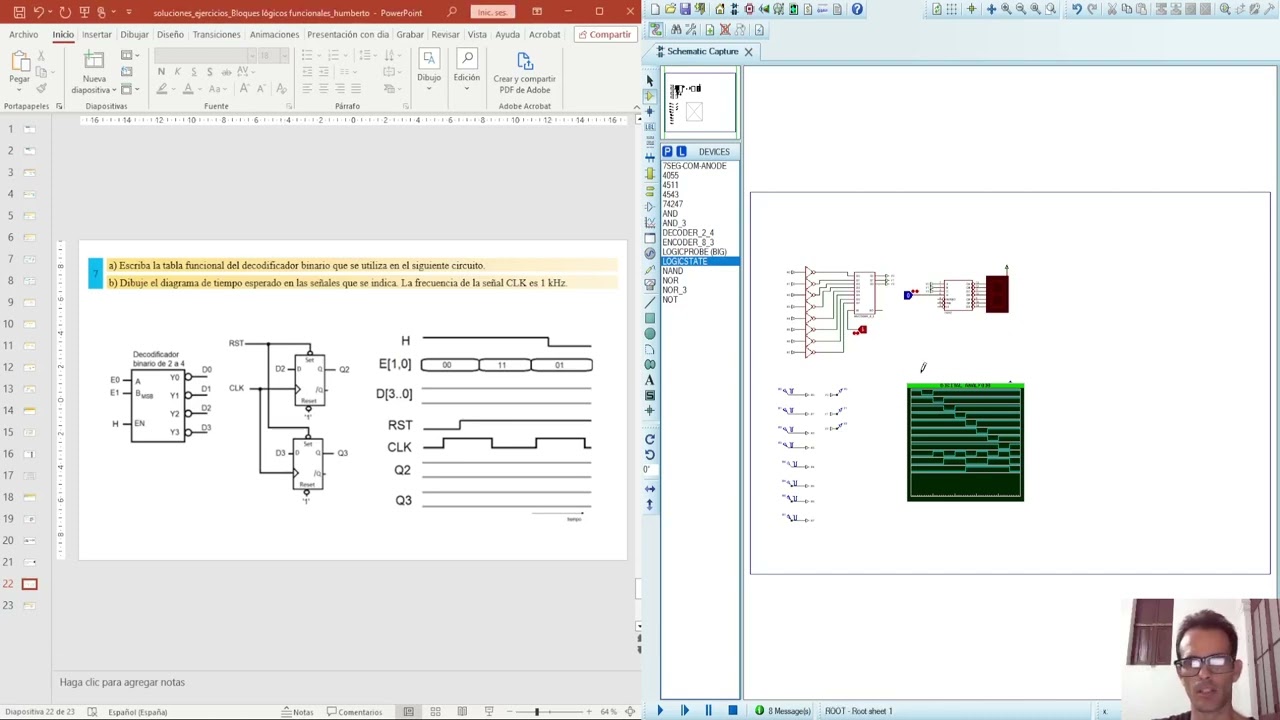
I use simulation programs, achieving exceptional skills in the student.
Education
Telecommunications and Electronics Engineer, graduated from the Technological University of Havana, I teach courses in Electrical Circuits, Analog Electronics, Digital Electronics, and Mathematics.
Experience / Qualifications
I have a university degree from the Technological University of Havana. More than 10 years of experience. Postgraduate courses in Systems and Digital Electronics.
Age
Children (7-12 years old)
Teenagers (13-17 years old)
Adults (18-64 years old)
Seniors (65+ years old)
Student level
Beginner
Intermediate
Advanced
Duration
60 minutes
The class is taught in
Spanish
English
Availability of a typical week
(GMT -04:00)
New York
at teacher icon
Online via webcam
Mon
Tue
Wed
Thu
Fri
Sat
Sun
00-04
04-08
08-12
12-16
16-20
20-24
Proteus Software!

Topic 1 Fundamentals of Digital Electronics
Introduction
- What does Digital Electronics study?
- Binary and hexadecimal number systems
- Introduction to switching algebra (logical operators, fundamental theorems)
Combinational logic circuits (Logic level of abstraction)
- Structural description: Logic gates
- Functional description: Truth tables, logical expressions, logical expressions in canonical forms
- Simplification of logical functions using the Karnaugh map method
- Optional combinations. Design criteria: minimum cost and minimum risk.
- Application of De Morgan's theorem in the design of combinational logic circuits with logic gates

Topic 2 Regular Functional Logic Blocks (RTL level of abstraction)
- Definition and classification (combinatorial and sequential)
- Hierarchical approach in digital design
Regular combinatorial functional logic blocks
- Arithmetic (adders, comparators, ALU)
- Data selectors (multiplexers)
Code converters (binary decoder, BCD-7 segment, binary encoder)
- Structural (gate design) and functional description of the functional logic blocks (truth tables, functional tables, logical expressions, timing diagrams)
- Application examples
- Hierarchical design in Proteus

Topic 3 Synchronous State Machines
Synchronous State Machines (MES) Method for CSS Analysis and Design.
- Designing non-regular CSS using the synchronous state machine method.
Read more
PLUS!!!! ALL SIMULATED EXERCISES

Conference_1_Generalities and Laws
Lecture_2_Kirchhoff's Laws
Lecture 3: General Methods
Lecture_4_Superposition_Thévenin
Lecture_5_Thévenin Maximum Power Transfer
Ideal Conference_6_AO
Conference_7_Warehouses_1
Conference_8_RC_RL
Conference_9_RLC
Conference_10_RLC_dynamic
Conference_11_Intro_CA
Conference_12_MGenerales_CA
Conference_13_Power_CA
Conference_14_Complex_Power_CA
Conference_15_Quadripoles
Conference_16_Quadripole_Connection
Read more
Show more
arrow icon
Similar classes
arrow icon previousarrow icon next
verified badge
Engineer in engineering sciences option electrical engineering
Senior professor of engineering sciences

SKILLS
IS engineering sciences
Embedded system (microcontrollers, z80 microprocessors, Motorola, ARM), Real-time system, network concept (OSI, TCP/IP), design of systems and electronic cards (analog, digital, power supply), signal processing, communication protocols ( SPI, I2C, CAN BUS, UART...), telecommunications.

Technical skills :
Languages: C / C ++, JAVA, VHDL / VERILOG, Python, Assembler.
Professional software:
MATLAB, SIS + PSIM + PSpice, QUARTUS, IDE68, Mikro C, Xilinix ISE, Labview, CoIDE.
Technologies:
Siemens PLC, Allen bradeley, STM32, FPGA, TIA Portal, STEP7, RSLogix

 Electrical engineering: Electric motors, Transformers
 Renewable energies: study of the solar pumping installation and the wind turbine installation.
 Electronics: analog, digital, power electronics, system electronics and instrumentation
biomedical.
 Networks and telecommunications.
 Industrial IT and programmable logic controllers.
 Automatic: modeling, identification and control of systems.
 Mechatronics.
 MATLAB
• Noise and vibration of asynchronous motors
• Speed variator
• Study and implementation of LV / MV standards
• Electrical accreditation: NF C18-510 standard
• NF C 15-100 electrical installations
• Management of electrical energy in networks (Continuous Power Flow)
verified badge
Improve your French by following our online French courses. I teach courses and help organize foreign companies in matters of organization and fixed obligations such as monthly expenses and scheduling client appointments.
verified badge
Tutoring, Lessons, School & Work Projects assistance etc.

I provide tutoring in Microsoft Excel and general computer skills, tailored to your needs. I also help with school, personal, or work-related projects.

Feel free to contact me anytime to discuss your requirements.

I have over 20 years of daily computer experience.

Excel: worksheets, formulas, formatting, sorting/filtering, shortcuts, drop-down lists, conditional formatting, page layout, and more.

Computer Skills: internet and email use, software installation, online safety, Microsoft Office, PDFs, screenshots, LinkedIn, VPNs, and general computer use.

Online or in-person lessons available.
All ages and skill levels welcome.
verified badge
Objective: To understand AI without fear, to use it to simplify one's life, to know how to identify digital traps, and to use Word, Excel, etc. without difficulty.

1: Demystifying AI (What exactly is it?)
AI is not a movie robot: Difference between fiction and reality.

How it works (simply): The image of the "giant library": AI has read billions of books and uses them to predict the continuation of a sentence or create an image.

Where is it already present? Spell checkers, Netflix/YouTube suggestions, GPS, and voice assistants (Siri/Alexa).

2: Using AI to make life easier
Conversing with AI (ChatGPT, Claude, Gemini):

Ask him to write an administrative email or a complex letter.

Summarize a long newspaper article or document.

Plan a travel itinerary or find recipe ideas with what's left in the fridge.

AI for creativity and memory:

Generate images to illustrate a birthday card (Midjourney, DALL-E).

Using AI to restore or colorize old family photos.

3: Learning to "talk" to AI (The Art of the Prompt)
The context method: Why "Give me a cake recipe" is less effective than "I am allergic to gluten and I am hosting 4 people, give me a simple chocolate cake recipe".

The expert's role: Learning to tell AI "Act like a travel guide" or "Act like an expert gardener".

4: Precautions and Critical Thinking (The Survival Guide)
"Hallucinations": Understand that AI can make false claims with complete certainty (never take medical or legal advice from AI without verification).

Privacy protection:

Never give sensitive data (social security number, passwords, bank details) to an AI.

Knowing that everything we write to the AI is potentially used to train it.

Spotting "Deepfakes":

How to recognize a doctored image or video (details on the hands, strange reflections, slightly metallic voice).

Verify the information: the golden rule of cross-referencing sources.

5: Ethics and Impacts (To go further)
Copyright: Who owns an image created by AI?

The environmental impact: The water and energy consumption of AI servers.

The future: Will AI replace us or assist us?
verified badge
Learn Python with a structured, hands-on approach! Whether you are a absolute beginner looking to start coding, a student needing help with coursework, or a professional aiming to automate tasks, these lessons are tailored for you.What we will cover:
Core Fundamentals: Variables, loops, functions, and data structures.Object-Oriented Programming: Building reusable and clean code.Real-World Projects: Creating scripts, data analysis, or web scraping based on your goals.

Problem Solving: Learning how to debug and think like a programmer. Lessons are highly interactive. We will write code together from day one, and you will receive practical exercises after every session to build your confidence.
verified badge
You will learn how to develop websites with and without AI, as well as skills related to the software development sector such as programming, databases, different development methodologies, and writing technical specifications.
verified badge
I studied the full CCNA curriculum in 45 days: NetAcad classes plus 150+ hours of theory and hands-on labs in Packet Tracer (OSPF, EIGRP, VLANs, STP, HSRP, ACLs, NAT). I score around 90% on full-length practice exams. I haven't taken the official exam yet (I'm preparing for it myself), so I'm not a certified instructor. What I offer is a recent, hands-on understanding of the material and of where learners get stuck, because I started from zero too.

I teach networking from first principles: why a protocol works, not just what to memorize. We cover IP addressing and subnetting, switching, routing, network services and basic security, with exam-style questions and Packet Tracer labs.

Sessions are in English or Spanish, which helps if you understand the concepts better in Spanish but need the English technical vocabulary the exam uses.

What we can do together:
- Understand topics you're stuck on (subnetting, VLANs, routing, STP)
- Practice exam-style questions and labs
- Build the English technical vocabulary for the exam
- Plan your study order and review weak areas

Online sessions via Zoom or Google Meet. Packet Tracer is free from Cisco NetAcad.
verified badge
Learn PowerShell through practical, one-on-one training focused on real-world Windows administration.

This course is designed for IT professionals, system administrators, IT support technicians, and career changers who want to develop practical PowerShell skills for managing Windows Server, Active Directory, and Microsoft Exchange environments.

Topics Covered
PowerShell fundamentals and command structure

Working with PowerShell commands, cmdlets, parameters, and objects

Variables, operators, conditions, and loops

Working with files, folders, and Windows processes

Managing Windows Server with PowerShell

Creating and managing Active Directory users, groups, and computers

Active Directory administration and automation

Bulk user and account management

Searching and filtering Active Directory objects

PowerShell for Microsoft Exchange Online

PowerShell for on-premises Exchange Server

Managing Microsoft 365 and Exchange objects with PowerShell

Writing reusable PowerShell scripts

Error handling and troubleshooting

Automating repetitive administrative tasks

Practical scripting exercises based on real IT administration scenarios

Who Is This Training For?
This training is suitable for:

IT Support and Help Desk professionals

Desktop Support technicians

Windows Administrators

System Administrators

Microsoft 365 Administrators

Network/IT professionals

Students preparing for an IT career

Career changers entering the IT field

Anyone who wants to automate Windows administration tasks

No advanced programming background is required. We can start with the fundamentals and progress toward practical administration and automation.

Lessons are one-on-one and customized to your current knowledge and career goals, with an emphasis on hands-on exercises rather than theory alone.

If your goal is to learn PowerShell for Windows Server, Active Directory, Microsoft 365, or Exchange administration, this training can be tailored specifically to your needs.
verified badge
Do you sometimes feel that ChatGPT should be useful, but somehow it just doesn't understand what you want?

The problem often isn't the AI — it's the way we communicate with it.

In this practical 30-minute session, I'll show you a few simple techniques that dramatically improve the answers you get from tools such as ChatGPT. No technical knowledge and no complicated “magic prompts” are required.

You'll learn how to give AI enough context, explain what you actually want, improve a poor answer instead of starting again, and reduce the chance of receiving confidently incorrect information.

We'll work through real examples together, so you can immediately apply the techniques to your own work or everyday life.

After 30 minutes, you should be able to get more useful, reliable and relevant answers from AI — and understand what to do when it gets things wrong.
verified badge
Are you a student trying to pass a class in Excel?
Are you a professional who needs this set of skills for his upcoming job?
Or are you just a curious person trying to learn this software which is nowadays used everywhere?

Well no more looking, I'm your guy.
Working in Finance, I use Excel every single day for my everyday work. Excel is so easy, with just a few lessons you'll become a tutor yourself. Send me a message and let's start learning!

The lesson provided consist of explanation and exercises provided by me :)
verified badge
Your AI Assistant Is Already in Your Pocket — Learn How to Use It!

Discover how to work effectively with AI assistants and AI agents to simplify everyday tasks, save time and boost your productivity.

In these practical, personalised lessons, I will show you how to turn AI into a valuable everyday working partner.

What you will learn:

- Understand AI assistants, agents and automated workflows
- Communicate effectively with AI through smart prompting
- Research, plan and organise projects
- Draft emails, documents and presentations
- Use AI for learning, business and personal productivity
- Connect AI tools to practical workflows
- Delegate suitable tasks while maintaining human control
- Review AI results, protect personal information and avoid common mistakes

Who is this for?

Entrepreneurs, professionals, parents, students, freelancers and anyone who wants to use AI more effectively.

No coding experience required. Learn through real-life examples and practical exercises tailored to your needs.

Worldwide classroom. Premium knowledge. No borders.
verified badge
📊Microsoft Office: To establish your office skills, manage data via Excel, write professional reports with Word, and prepare impressive presentations with PowerPoint.

📐 AutoCAD: To learn engineering drawing and design two-dimensional and three-dimensional plans with high accuracy and speed.

🛣️ Civil 3D: To learn road design, network design, surveying, and quantity surveying in a scientific and practical way
verified badge
**Online Quran and Computer Classes for Kids and Adults**

I offer online lessons in Quran education and computer skills for children, students, and adults. My aim is to help every learner improve their knowledge through patient, clear, and step-by-step teaching.

**Quran Classes:**

* Noorani Qaida for beginners
* Quran Reading and Pronunciation
* Basic Tajweed
* Quran Recitation Practice
* Basic Islamic Studies

**Computer Classes:**

* Basic Computer Skills
* Microsoft Word, Excel, and PowerPoint
* Computer Fundamentals
* C Programming for Beginners

**My Teaching Approach:**

I adjust lessons according to each student's age, level, and learning goals. I have previous experience as a Lecturer and Computer Lab Instructor at a Degree College from 2006 to 2010.

Classes are conducted online, making learning convenient for students in the UK and worldwide.

Please contact me for lesson details, availability, and suitable class timings.
verified badge
Learn to use Canva from scratch, practically and at your own pace. I'm a psychologist and teacher, and I use Canva daily to create presentations, guides, training materials, and social media content with a strong visual identity.

In classes you will learn to:
• Navigating Canva: templates, elements, texts, photos, and colors.
• Create engaging presentations for school, university, or work.
• Design school projects, infographics, concept maps, and covers.
• Create posts, stories, and short videos for social media.
• Create a simple visual identity (colors, fonts and logo) for your project or business.
• Download, share, and present your designs.

For whom: children from 9 years old (accompanied by an adult if they prefer), teenagers, university students, teachers and entrepreneurs.

How the classes are: We work on a real project of yours from the very first session (a presentation, a paper, or your brand), so you leave each class with something finished. Classes are held via video call (Zoom or Google Meet) with screen sharing.
verified badge
I hold a degree in Management and Software Programs (Rey Juan Carlos University) and have over 20 years of experience in IT and cybersecurity, as well as extensive experience as a vocational training instructor. I help you learn IT in a clear, practical way, without unnecessary technical jargon, whether you're starting from scratch or want to delve deeper into networks, operating systems, or security.

METHODOLOGY
The classes are 100% practical and adapted to your pace and goals. We always start from your current situation (your computer, your work, your questions) and practice with examples and guided exercises. At the end of each session, I provide a summary of what we've covered and, if you wish, optional exercises to reinforce the material. I explain things in simple language, repeat as many times as necessary, and we progress step by step.

SYLLABUS AND LEVELS
- Basic computer skills (beginner): computer handling, files and folders, internet, email, safe use of mobile phones and computers.
- Office automation (beginner and intermediate): Word, Excel and office tools; formulas, tables, charts and data organization. Also advanced level Excel.
- Operating systems (intermediate): Windows and Linux, installation, configuration, users and permissions, maintenance and troubleshooting.
- Networks (intermediate and advanced): network fundamentals, IP addressing, switching and routing, VPN, WiFi and firewalls.
- Cybersecurity (all levels): personal and business protection against phishing, malware and fraud, passwords and backups, regulations (ISO 27001, ENS, GDPR), hardening, vulnerability analysis and basic ethical hacking, SOC and SIEM. Preparation for professional certifications such as IFCT0109 Information Security.
- Programming and data (on request): Python, scripting with PowerShell and Bash, SQL databases.

WHO IS IT FOR?
For children and teenagers who want to learn how to use technology safely, for adults who need to be better at using computers, for older people who want to overcome their fear of technology, for professionals and freelancers who need to improve their office skills, for vocational training students or those pursuing professional certificates, and for those who want to get started in cybersecurity or protect their company.

FIRST CLASS
In the first class, we'll discuss your goals, assess your current level, and answer your most pressing questions. From there, we'll design a personalized learning plan, outlining the topics, pace, and frequency of your classes. You'll leave the first session with a clear path forward and some initial learning.

ONLINE AND IN-PERSON CLASSES IN MALAGA
I offer online classes via video call from anywhere in Spain and in-person classes at your home in Malaga and the surrounding area. In both cases, the content and personalized attention are the same. Write to me and tell me what you need.
Video thumbnail
Play icon
Humberto's video
message icon
Contact Humberto
repeat students icon
1st lesson is backed
by our
Good-fit Instructor Guarantee
Similar classes
arrow icon previousarrow icon next
verified badge
Engineer in engineering sciences option electrical engineering
Senior professor of engineering sciences

SKILLS
IS engineering sciences
Embedded system (microcontrollers, z80 microprocessors, Motorola, ARM), Real-time system, network concept (OSI, TCP/IP), design of systems and electronic cards (analog, digital, power supply), signal processing, communication protocols ( SPI, I2C, CAN BUS, UART...), telecommunications.

Technical skills :
Languages: C / C ++, JAVA, VHDL / VERILOG, Python, Assembler.
Professional software:
MATLAB, SIS + PSIM + PSpice, QUARTUS, IDE68, Mikro C, Xilinix ISE, Labview, CoIDE.
Technologies:
Siemens PLC, Allen bradeley, STM32, FPGA, TIA Portal, STEP7, RSLogix

 Electrical engineering: Electric motors, Transformers
 Renewable energies: study of the solar pumping installation and the wind turbine installation.
 Electronics: analog, digital, power electronics, system electronics and instrumentation
biomedical.
 Networks and telecommunications.
 Industrial IT and programmable logic controllers.
 Automatic: modeling, identification and control of systems.
 Mechatronics.
 MATLAB
• Noise and vibration of asynchronous motors
• Speed variator
• Study and implementation of LV / MV standards
• Electrical accreditation: NF C18-510 standard
• NF C 15-100 electrical installations
• Management of electrical energy in networks (Continuous Power Flow)
verified badge
Improve your French by following our online French courses. I teach courses and help organize foreign companies in matters of organization and fixed obligations such as monthly expenses and scheduling client appointments.
verified badge
Tutoring, Lessons, School & Work Projects assistance etc.

I provide tutoring in Microsoft Excel and general computer skills, tailored to your needs. I also help with school, personal, or work-related projects.

Feel free to contact me anytime to discuss your requirements.

I have over 20 years of daily computer experience.

Excel: worksheets, formulas, formatting, sorting/filtering, shortcuts, drop-down lists, conditional formatting, page layout, and more.

Computer Skills: internet and email use, software installation, online safety, Microsoft Office, PDFs, screenshots, LinkedIn, VPNs, and general computer use.

Online or in-person lessons available.
All ages and skill levels welcome.
verified badge
Objective: To understand AI without fear, to use it to simplify one's life, to know how to identify digital traps, and to use Word, Excel, etc. without difficulty.

1: Demystifying AI (What exactly is it?)
AI is not a movie robot: Difference between fiction and reality.

How it works (simply): The image of the "giant library": AI has read billions of books and uses them to predict the continuation of a sentence or create an image.

Where is it already present? Spell checkers, Netflix/YouTube suggestions, GPS, and voice assistants (Siri/Alexa).

2: Using AI to make life easier
Conversing with AI (ChatGPT, Claude, Gemini):

Ask him to write an administrative email or a complex letter.

Summarize a long newspaper article or document.

Plan a travel itinerary or find recipe ideas with what's left in the fridge.

AI for creativity and memory:

Generate images to illustrate a birthday card (Midjourney, DALL-E).

Using AI to restore or colorize old family photos.

3: Learning to "talk" to AI (The Art of the Prompt)
The context method: Why "Give me a cake recipe" is less effective than "I am allergic to gluten and I am hosting 4 people, give me a simple chocolate cake recipe".

The expert's role: Learning to tell AI "Act like a travel guide" or "Act like an expert gardener".

4: Precautions and Critical Thinking (The Survival Guide)
"Hallucinations": Understand that AI can make false claims with complete certainty (never take medical or legal advice from AI without verification).

Privacy protection:

Never give sensitive data (social security number, passwords, bank details) to an AI.

Knowing that everything we write to the AI is potentially used to train it.

Spotting "Deepfakes":

How to recognize a doctored image or video (details on the hands, strange reflections, slightly metallic voice).

Verify the information: the golden rule of cross-referencing sources.

5: Ethics and Impacts (To go further)
Copyright: Who owns an image created by AI?

The environmental impact: The water and energy consumption of AI servers.

The future: Will AI replace us or assist us?
verified badge
Learn Python with a structured, hands-on approach! Whether you are a absolute beginner looking to start coding, a student needing help with coursework, or a professional aiming to automate tasks, these lessons are tailored for you.What we will cover:
Core Fundamentals: Variables, loops, functions, and data structures.Object-Oriented Programming: Building reusable and clean code.Real-World Projects: Creating scripts, data analysis, or web scraping based on your goals.

Problem Solving: Learning how to debug and think like a programmer. Lessons are highly interactive. We will write code together from day one, and you will receive practical exercises after every session to build your confidence.
verified badge
You will learn how to develop websites with and without AI, as well as skills related to the software development sector such as programming, databases, different development methodologies, and writing technical specifications.
verified badge
I studied the full CCNA curriculum in 45 days: NetAcad classes plus 150+ hours of theory and hands-on labs in Packet Tracer (OSPF, EIGRP, VLANs, STP, HSRP, ACLs, NAT). I score around 90% on full-length practice exams. I haven't taken the official exam yet (I'm preparing for it myself), so I'm not a certified instructor. What I offer is a recent, hands-on understanding of the material and of where learners get stuck, because I started from zero too.

I teach networking from first principles: why a protocol works, not just what to memorize. We cover IP addressing and subnetting, switching, routing, network services and basic security, with exam-style questions and Packet Tracer labs.

Sessions are in English or Spanish, which helps if you understand the concepts better in Spanish but need the English technical vocabulary the exam uses.

What we can do together:
- Understand topics you're stuck on (subnetting, VLANs, routing, STP)
- Practice exam-style questions and labs
- Build the English technical vocabulary for the exam
- Plan your study order and review weak areas

Online sessions via Zoom or Google Meet. Packet Tracer is free from Cisco NetAcad.
verified badge
Learn PowerShell through practical, one-on-one training focused on real-world Windows administration.

This course is designed for IT professionals, system administrators, IT support technicians, and career changers who want to develop practical PowerShell skills for managing Windows Server, Active Directory, and Microsoft Exchange environments.

Topics Covered
PowerShell fundamentals and command structure

Working with PowerShell commands, cmdlets, parameters, and objects

Variables, operators, conditions, and loops

Working with files, folders, and Windows processes

Managing Windows Server with PowerShell

Creating and managing Active Directory users, groups, and computers

Active Directory administration and automation

Bulk user and account management

Searching and filtering Active Directory objects

PowerShell for Microsoft Exchange Online

PowerShell for on-premises Exchange Server

Managing Microsoft 365 and Exchange objects with PowerShell

Writing reusable PowerShell scripts

Error handling and troubleshooting

Automating repetitive administrative tasks

Practical scripting exercises based on real IT administration scenarios

Who Is This Training For?
This training is suitable for:

IT Support and Help Desk professionals

Desktop Support technicians

Windows Administrators

System Administrators

Microsoft 365 Administrators

Network/IT professionals

Students preparing for an IT career

Career changers entering the IT field

Anyone who wants to automate Windows administration tasks

No advanced programming background is required. We can start with the fundamentals and progress toward practical administration and automation.

Lessons are one-on-one and customized to your current knowledge and career goals, with an emphasis on hands-on exercises rather than theory alone.

If your goal is to learn PowerShell for Windows Server, Active Directory, Microsoft 365, or Exchange administration, this training can be tailored specifically to your needs.
verified badge
Do you sometimes feel that ChatGPT should be useful, but somehow it just doesn't understand what you want?

The problem often isn't the AI — it's the way we communicate with it.

In this practical 30-minute session, I'll show you a few simple techniques that dramatically improve the answers you get from tools such as ChatGPT. No technical knowledge and no complicated “magic prompts” are required.

You'll learn how to give AI enough context, explain what you actually want, improve a poor answer instead of starting again, and reduce the chance of receiving confidently incorrect information.

We'll work through real examples together, so you can immediately apply the techniques to your own work or everyday life.

After 30 minutes, you should be able to get more useful, reliable and relevant answers from AI — and understand what to do when it gets things wrong.
verified badge
Are you a student trying to pass a class in Excel?
Are you a professional who needs this set of skills for his upcoming job?
Or are you just a curious person trying to learn this software which is nowadays used everywhere?

Well no more looking, I'm your guy.
Working in Finance, I use Excel every single day for my everyday work. Excel is so easy, with just a few lessons you'll become a tutor yourself. Send me a message and let's start learning!

The lesson provided consist of explanation and exercises provided by me :)
verified badge
Your AI Assistant Is Already in Your Pocket — Learn How to Use It!

Discover how to work effectively with AI assistants and AI agents to simplify everyday tasks, save time and boost your productivity.

In these practical, personalised lessons, I will show you how to turn AI into a valuable everyday working partner.

What you will learn:

- Understand AI assistants, agents and automated workflows
- Communicate effectively with AI through smart prompting
- Research, plan and organise projects
- Draft emails, documents and presentations
- Use AI for learning, business and personal productivity
- Connect AI tools to practical workflows
- Delegate suitable tasks while maintaining human control
- Review AI results, protect personal information and avoid common mistakes

Who is this for?

Entrepreneurs, professionals, parents, students, freelancers and anyone who wants to use AI more effectively.

No coding experience required. Learn through real-life examples and practical exercises tailored to your needs.

Worldwide classroom. Premium knowledge. No borders.
verified badge
📊Microsoft Office: To establish your office skills, manage data via Excel, write professional reports with Word, and prepare impressive presentations with PowerPoint.

📐 AutoCAD: To learn engineering drawing and design two-dimensional and three-dimensional plans with high accuracy and speed.

🛣️ Civil 3D: To learn road design, network design, surveying, and quantity surveying in a scientific and practical way
verified badge
**Online Quran and Computer Classes for Kids and Adults**

I offer online lessons in Quran education and computer skills for children, students, and adults. My aim is to help every learner improve their knowledge through patient, clear, and step-by-step teaching.

**Quran Classes:**

* Noorani Qaida for beginners
* Quran Reading and Pronunciation
* Basic Tajweed
* Quran Recitation Practice
* Basic Islamic Studies

**Computer Classes:**

* Basic Computer Skills
* Microsoft Word, Excel, and PowerPoint
* Computer Fundamentals
* C Programming for Beginners

**My Teaching Approach:**

I adjust lessons according to each student's age, level, and learning goals. I have previous experience as a Lecturer and Computer Lab Instructor at a Degree College from 2006 to 2010.

Classes are conducted online, making learning convenient for students in the UK and worldwide.

Please contact me for lesson details, availability, and suitable class timings.
verified badge
Learn to use Canva from scratch, practically and at your own pace. I'm a psychologist and teacher, and I use Canva daily to create presentations, guides, training materials, and social media content with a strong visual identity.

In classes you will learn to:
• Navigating Canva: templates, elements, texts, photos, and colors.
• Create engaging presentations for school, university, or work.
• Design school projects, infographics, concept maps, and covers.
• Create posts, stories, and short videos for social media.
• Create a simple visual identity (colors, fonts and logo) for your project or business.
• Download, share, and present your designs.

For whom: children from 9 years old (accompanied by an adult if they prefer), teenagers, university students, teachers and entrepreneurs.

How the classes are: We work on a real project of yours from the very first session (a presentation, a paper, or your brand), so you leave each class with something finished. Classes are held via video call (Zoom or Google Meet) with screen sharing.
verified badge
I hold a degree in Management and Software Programs (Rey Juan Carlos University) and have over 20 years of experience in IT and cybersecurity, as well as extensive experience as a vocational training instructor. I help you learn IT in a clear, practical way, without unnecessary technical jargon, whether you're starting from scratch or want to delve deeper into networks, operating systems, or security.

METHODOLOGY
The classes are 100% practical and adapted to your pace and goals. We always start from your current situation (your computer, your work, your questions) and practice with examples and guided exercises. At the end of each session, I provide a summary of what we've covered and, if you wish, optional exercises to reinforce the material. I explain things in simple language, repeat as many times as necessary, and we progress step by step.

SYLLABUS AND LEVELS
- Basic computer skills (beginner): computer handling, files and folders, internet, email, safe use of mobile phones and computers.
- Office automation (beginner and intermediate): Word, Excel and office tools; formulas, tables, charts and data organization. Also advanced level Excel.
- Operating systems (intermediate): Windows and Linux, installation, configuration, users and permissions, maintenance and troubleshooting.
- Networks (intermediate and advanced): network fundamentals, IP addressing, switching and routing, VPN, WiFi and firewalls.
- Cybersecurity (all levels): personal and business protection against phishing, malware and fraud, passwords and backups, regulations (ISO 27001, ENS, GDPR), hardening, vulnerability analysis and basic ethical hacking, SOC and SIEM. Preparation for professional certifications such as IFCT0109 Information Security.
- Programming and data (on request): Python, scripting with PowerShell and Bash, SQL databases.

WHO IS IT FOR?
For children and teenagers who want to learn how to use technology safely, for adults who need to be better at using computers, for older people who want to overcome their fear of technology, for professionals and freelancers who need to improve their office skills, for vocational training students or those pursuing professional certificates, and for those who want to get started in cybersecurity or protect their company.

FIRST CLASS
In the first class, we'll discuss your goals, assess your current level, and answer your most pressing questions. From there, we'll design a personalized learning plan, outlining the topics, pace, and frequency of your classes. You'll leave the first session with a clear path forward and some initial learning.

ONLINE AND IN-PERSON CLASSES IN MALAGA
I offer online classes via video call from anywhere in Spain and in-person classes at your home in Malaga and the surrounding area. In both cases, the content and personalized attention are the same. Write to me and tell me what you need.
Good-fit Instructor Guarantee
favorite button
message icon
Contact Humberto