facebook
favorite button
super instructor icon
Trusted teacher
This teacher has a fast response time and rate, demonstrating a high quality of service to their students.
member since icon
Since March 2024
Instructor since March 2024
Translated by GoogleSee original
Office automation and IT from scratch for all ages.
course price icon
From 20 £ /h
arrow icon
Office automation from scratch.
Mastery of the most up-to-date WINDOWS 11 operating system environment.
WORD, POWERPOINT, EXCEL.

Computer science from scratch.
Complete computer handling.
Proficiency in the WINDOWS 11 environment.
Software Installation.
It reaches the Operating Systems installation.
Extra information
You will learn Computer Science and Office Automation without a doubt
Location
location type icon
Online from Dominican Republic
About Me
I really enjoy seeing students learn, and that's what all my effort and skills acquired as a Telecommunications Engineer are focused on.
I explain the content in different ways so that the student can acquire a view from various angles, and thus not only will they be able to solve the exercises but it will also help them broaden their field of analysis in life in general.
I use simulation programs, achieving exceptional skills in the student.
Education
Telecommunications and Electronics Engineer, graduated from the Technological University of Havana, I teach courses in Electrical Circuits, Analog Electronics, Digital Electronics, and Mathematics.
Experience / Qualifications
I have a university degree from the Technological University of Havana. More than 10 years of experience. Postgraduate courses in Systems and Digital Electronics.
Age
Children (7-12 years old)
Teenagers (13-17 years old)
Adults (18-64 years old)
Seniors (65+ years old)
Student level
Beginner
Intermediate
Advanced
Duration
60 minutes
The class is taught in
Spanish
English
Availability of a typical week
(GMT -04:00)
New York
at teacher icon
Online via webcam
Mon
Tue
Wed
Thu
Fri
Sat
Sun
00-04
04-08
08-12
12-16
16-20
20-24
Proteus Software!

Topic 1 Fundamentals of Digital Electronics
Introduction
- What does Digital Electronics study?
- Binary and hexadecimal number systems
- Introduction to switching algebra (logical operators, fundamental theorems)
Combinational logic circuits (Logic level of abstraction)
- Structural description: Logic gates
- Functional description: Truth tables, logical expressions, logical expressions in canonical forms
- Simplification of logical functions using the Karnaugh map method
- Optional combinations. Design criteria: minimum cost and minimum risk.
- Application of De Morgan's theorem in the design of combinational logic circuits with logic gates

Topic 2 Regular Functional Logic Blocks (RTL level of abstraction)
- Definition and classification (combinatorial and sequential)
- Hierarchical approach in digital design
Regular combinatorial functional logic blocks
- Arithmetic (adders, comparators, ALU)
- Data selectors (multiplexers)
Code converters (binary decoder, BCD-7 segment, binary encoder)
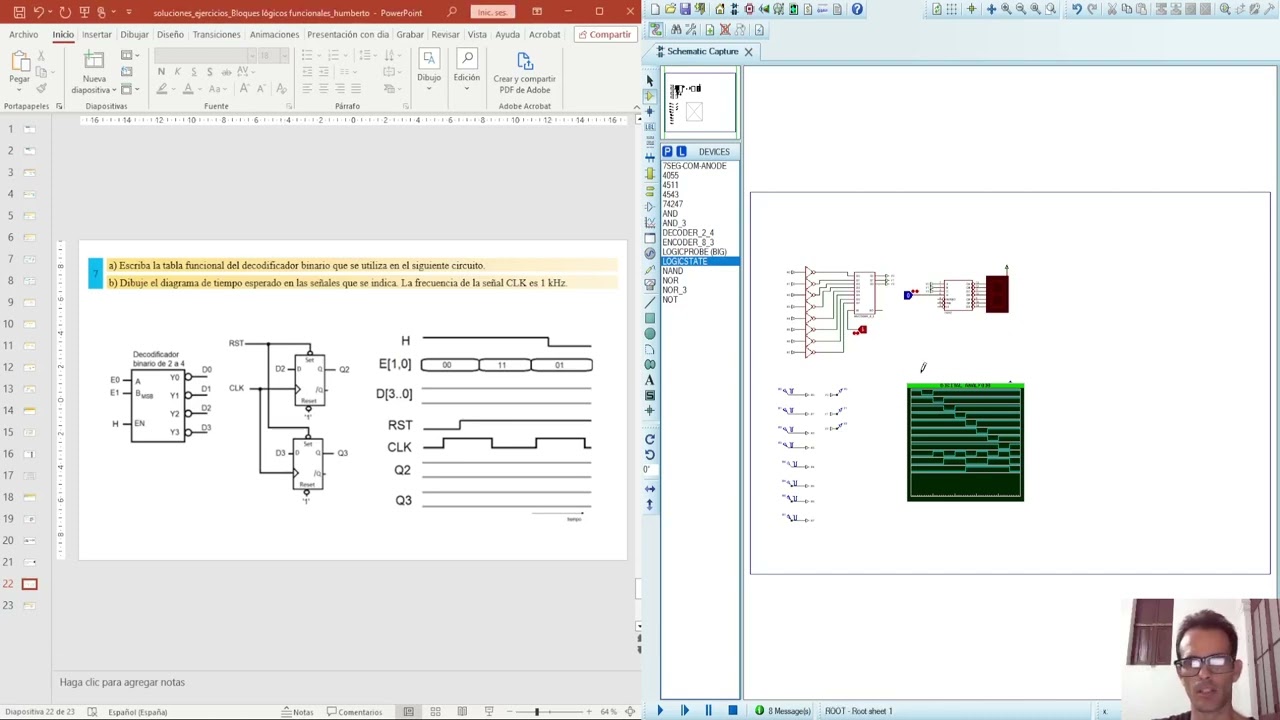
- Structural (gate design) and functional description of the functional logic blocks (truth tables, functional tables, logical expressions, timing diagrams)
- Application examples
- Hierarchical design in Proteus

Topic 3 Synchronous State Machines
Synchronous State Machines (MES) Method for CSS Analysis and Design.
- Designing non-regular CSS using the synchronous state machine method.
Read more
PLUS!!!! ALL SIMULATED EXERCISES

Conference_1_Generalities and Laws
Lecture_2_Kirchhoff's Laws
Lecture 3: General Methods
Lecture_4_Superposition_Thévenin
Lecture_5_Thévenin Maximum Power Transfer
Ideal Conference_6_AO
Conference_7_Warehouses_1
Conference_8_RC_RL
Conference_9_RLC
Conference_10_RLC_dynamic
Conference_11_Intro_CA
Conference_12_MGenerales_CA
Conference_13_Power_CA
Conference_14_Complex_Power_CA
Conference_15_Quadripoles
Conference_16_Quadripole_Connection
Read more
Show more
arrow icon
Similar classes
arrow icon previousarrow icon next
verified badge
Raouf
Objective: To understand AI without fear, to use it to simplify one's life, to know how to identify digital traps, and to use Word, Excel, etc. without difficulty.

1: Demystifying AI (What exactly is it?)
AI is not a movie robot: Difference between fiction and reality.

How it works (simply): The image of the "giant library": AI has read billions of books and uses them to predict the continuation of a sentence or create an image.

Where is it already present? Spell checkers, Netflix/YouTube suggestions, GPS, and voice assistants (Siri/Alexa).

2: Using AI to make life easier
Conversing with AI (ChatGPT, Claude, Gemini):

Ask him to write an administrative email or a complex letter.

Summarize a long newspaper article or document.

Plan a travel itinerary or find recipe ideas with what's left in the fridge.

AI for creativity and memory:

Generate images to illustrate a birthday card (Midjourney, DALL-E).

Using AI to restore or colorize old family photos.

3: Learning to "talk" to AI (The Art of the Prompt)
The context method: Why "Give me a cake recipe" is less effective than "I am allergic to gluten and I am hosting 4 people, give me a simple chocolate cake recipe".

The expert's role: Learning to tell AI "Act like a travel guide" or "Act like an expert gardener".

4: Precautions and Critical Thinking (The Survival Guide)
"Hallucinations": Understand that AI can make false claims with complete certainty (never take medical or legal advice from AI without verification).

Privacy protection:

Never give sensitive data (social security number, passwords, bank details) to an AI.

Knowing that everything we write to the AI is potentially used to train it.

Spotting "Deepfakes":

How to recognize a doctored image or video (details on the hands, strange reflections, slightly metallic voice).

Verify the information: the golden rule of cross-referencing sources.

5: Ethics and Impacts (To go further)
Copyright: Who owns an image created by AI?

The environmental impact: The water and energy consumption of AI servers.

The future: Will AI replace us or assist us?
verified badge
Nuria
Are you studying SMR, ASIR/ASIX, DAM, DAW, Computer Engineering or other technology training and need help with systems, networks or infrastructure?

I'm Nuria, a computer science teacher with over 10 years of teaching experience and professional experience in systems administration. Classes are online, one-on-one, and fully tailored to your syllabus, level, and goals.

We can work on content such as:

* Linux and systems administration;
* Windows and Windows Server;
* users, groups, permissions, processes and services;
* TCP/IP networks, addressing and subnetting;
* DNS, DHCP, routing, NAT and network services;
* server administration and deployment;
* virtualization and virtual machines;
* Docker, containers, and Docker Compose;
* scripting and automation with Bash or PowerShell;
* storage, backups and recovery;
* log monitoring and analysis;
* cloud computing and infrastructure concepts;
* firewalls and network security;
* Linux and server hardening;
* cybersecurity and best practices;
* Diagnosis and resolution of incidents.

The classes are primarily practical. I don't want you to memorize a list of commands or steps: we'll work towards you understanding what's happening, knowing where to look when something goes wrong, and being able to gradually arrive at a solution on your own.

We can start from scratch, prepare a subject or exam, solve a specific practice, configure an environment or set up laboratories where you can practice the content you are studying.

In addition to the classes, you will have access to our educational platform with its own documentation, notes, exercises, examples, practices and other resources to continue working between sessions.
verified badge
M
Learn PowerShell through practical, one-on-one training focused on real-world Windows administration.

This course is designed for IT professionals, system administrators, IT support technicians, and career changers who want to develop practical PowerShell skills for managing Windows Server, Active Directory, and Microsoft Exchange environments.

Topics Covered
PowerShell fundamentals and command structure

Working with PowerShell commands, cmdlets, parameters, and objects

Variables, operators, conditions, and loops

Working with files, folders, and Windows processes

Managing Windows Server with PowerShell

Creating and managing Active Directory users, groups, and computers

Active Directory administration and automation

Bulk user and account management

Searching and filtering Active Directory objects

PowerShell for Microsoft Exchange Online

PowerShell for on-premises Exchange Server

Managing Microsoft 365 and Exchange objects with PowerShell

Writing reusable PowerShell scripts

Error handling and troubleshooting

Automating repetitive administrative tasks

Practical scripting exercises based on real IT administration scenarios

Who Is This Training For?
This training is suitable for:

IT Support and Help Desk professionals

Desktop Support technicians

Windows Administrators

System Administrators

Microsoft 365 Administrators

Network/IT professionals

Students preparing for an IT career

Career changers entering the IT field

Anyone who wants to automate Windows administration tasks

No advanced programming background is required. We can start with the fundamentals and progress toward practical administration and automation.

Lessons are one-on-one and customized to your current knowledge and career goals, with an emphasis on hands-on exercises rather than theory alone.

If your goal is to learn PowerShell for Windows Server, Active Directory, Microsoft 365, or Exchange administration, this training can be tailored specifically to your needs.
Video thumbnail
Play icon
Humberto's video
message icon
Contact Humberto
repeat students icon
1st lesson is backed
by our
Good-fit Instructor Guarantee
Similar classes
arrow icon previousarrow icon next
verified badge
Raouf
Objective: To understand AI without fear, to use it to simplify one's life, to know how to identify digital traps, and to use Word, Excel, etc. without difficulty.

1: Demystifying AI (What exactly is it?)
AI is not a movie robot: Difference between fiction and reality.

How it works (simply): The image of the "giant library": AI has read billions of books and uses them to predict the continuation of a sentence or create an image.

Where is it already present? Spell checkers, Netflix/YouTube suggestions, GPS, and voice assistants (Siri/Alexa).

2: Using AI to make life easier
Conversing with AI (ChatGPT, Claude, Gemini):

Ask him to write an administrative email or a complex letter.

Summarize a long newspaper article or document.

Plan a travel itinerary or find recipe ideas with what's left in the fridge.

AI for creativity and memory:

Generate images to illustrate a birthday card (Midjourney, DALL-E).

Using AI to restore or colorize old family photos.

3: Learning to "talk" to AI (The Art of the Prompt)
The context method: Why "Give me a cake recipe" is less effective than "I am allergic to gluten and I am hosting 4 people, give me a simple chocolate cake recipe".

The expert's role: Learning to tell AI "Act like a travel guide" or "Act like an expert gardener".

4: Precautions and Critical Thinking (The Survival Guide)
"Hallucinations": Understand that AI can make false claims with complete certainty (never take medical or legal advice from AI without verification).

Privacy protection:

Never give sensitive data (social security number, passwords, bank details) to an AI.

Knowing that everything we write to the AI is potentially used to train it.

Spotting "Deepfakes":

How to recognize a doctored image or video (details on the hands, strange reflections, slightly metallic voice).

Verify the information: the golden rule of cross-referencing sources.

5: Ethics and Impacts (To go further)
Copyright: Who owns an image created by AI?

The environmental impact: The water and energy consumption of AI servers.

The future: Will AI replace us or assist us?
verified badge
Nuria
Are you studying SMR, ASIR/ASIX, DAM, DAW, Computer Engineering or other technology training and need help with systems, networks or infrastructure?

I'm Nuria, a computer science teacher with over 10 years of teaching experience and professional experience in systems administration. Classes are online, one-on-one, and fully tailored to your syllabus, level, and goals.

We can work on content such as:

* Linux and systems administration;
* Windows and Windows Server;
* users, groups, permissions, processes and services;
* TCP/IP networks, addressing and subnetting;
* DNS, DHCP, routing, NAT and network services;
* server administration and deployment;
* virtualization and virtual machines;
* Docker, containers, and Docker Compose;
* scripting and automation with Bash or PowerShell;
* storage, backups and recovery;
* log monitoring and analysis;
* cloud computing and infrastructure concepts;
* firewalls and network security;
* Linux and server hardening;
* cybersecurity and best practices;
* Diagnosis and resolution of incidents.

The classes are primarily practical. I don't want you to memorize a list of commands or steps: we'll work towards you understanding what's happening, knowing where to look when something goes wrong, and being able to gradually arrive at a solution on your own.

We can start from scratch, prepare a subject or exam, solve a specific practice, configure an environment or set up laboratories where you can practice the content you are studying.

In addition to the classes, you will have access to our educational platform with its own documentation, notes, exercises, examples, practices and other resources to continue working between sessions.
verified badge
M
Learn PowerShell through practical, one-on-one training focused on real-world Windows administration.

This course is designed for IT professionals, system administrators, IT support technicians, and career changers who want to develop practical PowerShell skills for managing Windows Server, Active Directory, and Microsoft Exchange environments.

Topics Covered
PowerShell fundamentals and command structure

Working with PowerShell commands, cmdlets, parameters, and objects

Variables, operators, conditions, and loops

Working with files, folders, and Windows processes

Managing Windows Server with PowerShell

Creating and managing Active Directory users, groups, and computers

Active Directory administration and automation

Bulk user and account management

Searching and filtering Active Directory objects

PowerShell for Microsoft Exchange Online

PowerShell for on-premises Exchange Server

Managing Microsoft 365 and Exchange objects with PowerShell

Writing reusable PowerShell scripts

Error handling and troubleshooting

Automating repetitive administrative tasks

Practical scripting exercises based on real IT administration scenarios

Who Is This Training For?
This training is suitable for:

IT Support and Help Desk professionals

Desktop Support technicians

Windows Administrators

System Administrators

Microsoft 365 Administrators

Network/IT professionals

Students preparing for an IT career

Career changers entering the IT field

Anyone who wants to automate Windows administration tasks

No advanced programming background is required. We can start with the fundamentals and progress toward practical administration and automation.

Lessons are one-on-one and customized to your current knowledge and career goals, with an emphasis on hands-on exercises rather than theory alone.

If your goal is to learn PowerShell for Windows Server, Active Directory, Microsoft 365, or Exchange administration, this training can be tailored specifically to your needs.
Good-fit Instructor Guarantee
favorite button
message icon
Contact Humberto