facebook

Discover the Best Private Computers & Electronics Classes in London

For over a decade, our private Computers & Electronics tutors have been helping learners improve and fulfil their ambitions. With one-on-one lessons at home or in London, you’ll benefit from high-quality, personalised teaching that’s tailored to your goals, availability, and learning style.

Find Your Perfect Teacher

Explore our selection of Computers & Electronics tutors & teachers in London and use the filters to find the class that best fits your needs.

Contact Teachers for Free

Share your goals and preferences with teachers and choose the Computers & Electronics class that suits you best.

Book Your First Lesson

Arrange the time and place for your first class together. Once your teacher confirms the appointment, you can be confident you are ready to start!

0 Teachers your wish list
|
zoom in iconzoom out icon

163 computers & electronics teachers in London

Students' Choice

Enrique

verified teacher icon
Recently active
Recently active
5.0

3 reviews

(3)

£87

60-min

/h

trusted teacher iconTrusted teacher
student icon
1Students

Cambridge-trained with 12+ years experience tutoring for Excellence: Maths, Physics, Programming, EngineeringTranslate this text using Google Translate.

Cambridge-trained with 12+ years experience tutoring for Excellence: Maths, Physics, Programming, EngineeringTranslate this text using Google Translate.

Don't settle for anything less than excellence. I am an Aerospace Engineer with a Master's degree in Quantum Physics and have completed Ph.D. work at the University of Cambridge in Computational Physics. Additionally, I have 4 years of experience developing MATLAB and possess deep programming skills in MATLAB/Simulink family, C/C++, Fortran, and Python. With over 12 years of tutoring experience, I have successfully guided more than 50 students worldwide to achieve distinction in various fields. Consistent results are my priority, and I strive for excellence in all aspects of my teaching. My lessons are customized to meet each student's unique needs and are designed to be engaging and insightful. Whether you are at a school level or require advanced or professional-level instruction, I offer support in the following areas: - Preparation for IB/IA, A-Levels, GCSE, University Entry, or equivalent. - Experience in preparing students to access world-class schools and universities, including Cambridge University, Oxford, Ivy League and other top institutions in the UK and US. - University levels (undergraduate and postgraduate). - High school studies and diploma programs. - Assistance with specific projects at a professional level, including job interview preparation. - Extensive experience working with children. Every lesson is meticulously planned in advance to ensure that it aligns with your goals and targets areas for improvement. I prioritize a dynamic and interactive learning experience, with one-on-one sessions tailored to your individual requirements. Lessons will be conducted via webcam, enabling you to connect from anywhere. I have a highly flexible schedule and can adapt to accommodate your needs. If you have any questions about my teaching method, availability, or pricing, please don't hesitate to reach out. I am here to assist you and provide the support you need.

Matt

£34

60-min

/h

1-on-1 Fusion 360 Tutoring for 3D Printing - Turn Your Ideas into RealityTranslate this text using Google Translate.

1-on-1 Fusion 360 Tutoring for 3D Printing - Turn Your Ideas into RealityTranslate this text using Google Translate.

Have you ever found the perfect 3D model online, only to realize it’s just a little too small, or missing a hole you need? Or maybe you have a brilliant idea for an invention, a custom bracket, or a replacement part for your house, but you have no idea how to design it from scratch? AutoDesk Fusion 360 is one of the best solutions for beginners, hobbyists and even professionals when it comes to learning the basics of Computer Aided Design (CAD). Fusion 360 is also free to use for students or for personal use, making it easily accessible to anybody who knows how to use a computer. Our 1-on-1, beginner-friendly tutoring skips the confusing training and teaches you exactly what you need to know to make awesome, real-world objects using a 3D printer. Opening Fusion 360 for the first time can feel like sitting in the cockpit of a spaceship—there are just too many buttons. Instead of just memorizing what the buttons do, you will build real-world skills through practical, print-focused milestones. Here is exactly what you will learn to do inside Fusion 360: What You’ll Learn to Create (Step-by-Step) We don't do boring, repetitive exercises or fill in workbooks. You'll learn by making real things every session using our on-site Bambu Lab printers! Here is what you’ll be able to do: 🛠️Design Custom Replacement Parts Learn how to measure a broken item in your house (like a plastic clip, a battery cover, or a knob) with a pair of calipers and recreate it perfectly on your screen. No more throwing things away just because a small plastic piece snapped. This give you an opportunity to learn why the original part broke and how you can make a more functional part of your own. 📐Make "Smart" Models That Resize Instantly Learn the magic of making a design that adapts. You’ll create a project—like a storage box—where you can change one number (like the width), and the rest of the box automatically updates itself without ruining your work. You can reuse your own designs over and over for different projects. 🧩Design Parts That Fit and Move Together Learn the secret to designing moving parts. We will show you exactly how much "breathing room" (clearance) to leave between plastic parts so that hinges swing, drawers slide, functional threads and lids snap shut without getting stuck. 🔩Mix Plastic with Real Hardware Learn how to design perfect holes for metal screws, slots to drop in hex nuts, and spaces for bearings. Plastic unfortunately can't do everything, but with a bit of help from off the shelf parts, you can make your models and prints work with some very novel advantages sometimes not even possible in traditional manufacturing. ✂️"Remix" Existing 3D Files (STLs) Take those files you download from websites like Thingiverse or Printables and learn how to actually change them. You'll learn how to cut parts off, stretch shapes, or add your own text and logos to existing models. Make anything fit your purpose and modify parts.

Fejiro

verified teacher icon
£54

60-min

/h

trusted teacher iconTrusted teacher

Excel, Word, PowerPoint: Essential Skills for Modern ProfessionalsTranslate this text using Google Translate.

Excel, Word, PowerPoint: Essential Skills for Modern ProfessionalsTranslate this text using Google Translate.

👩->👩‍🎓->👩‍💼 Every Journey Begins With A Step Become A Confident 👔Pro At The Office Start a Office Mastery Class with me, where you'll dive into the world of Microsoft Office and unlock the true potential of Word, PowerPoint, and Excel. This comprehensive course is designed to equip you with the essential skills and knowledge to navigate and utilize these powerful tools effectively and efficiently. Description: In today's digital age, proficiency in Microsoft Office is a valuable asset that can significantly enhance your personal and professional endeavors. Whether you're a student, professional, or simply someone seeking to expand their skillset, this course is tailored to meet your needs. Benefits and Future Prospects: By enrolling in Office Mastery, you'll gain a competitive edge and become proficient in the core applications of Microsoft Office: Word, PowerPoint, and Excel. These essential tools are widely used across industries, and mastering them opens doors to countless opportunities. Enhance your resume, improve your work efficiency, and increase your chances of securing better career prospects. Structured Classes and Effective Methodology: Our classes are carefully structured to ensure a seamless learning experience. Through a combination of interactive lectures, hands-on exercises, and real-world examples, you'll develop a solid foundation in each application. Our approach focuses on practical application and problem-solving, allowing you to grasp the concepts quickly and effectively. Our method is designed to accommodate different learning styles and skill levels. We provide step-by-step guidance, breaking down complex features into manageable modules. You'll learn to create professional documents in Word, craft dynamic presentations in PowerPoint, and harness the power of data analysis with Excel. Our instructors are experienced professionals who are passionate about teaching and dedicated to your success. Continued Support and Professional Guidance: At Office Mastery, our commitment to your growth extends beyond the classroom. We understand that learning is an ongoing process, and we are here to support you even after the course concludes. We offer post-course resources, personalized guidance, and mentoring to ensure that you continue to progress in your career or academic pursuits. Our goal is to empower you with the skills and confidence to excel in the digital age.

Gregor

verified teacher icon
£60

60-min

/h

trusted teacher iconTrusted teacher

Photoshop & Lightroom - Editing and Retouching PhotographyTranslate this text using Google Translate.

Photoshop & Lightroom - Editing and Retouching PhotographyTranslate this text using Google Translate.

Learn the tools of Photoshop & Lightroom with a graduate student of Photography at the Royal College of Art in London. Practice basic skills, retouching, colour grading and photo manipulation. Tutoring lessons tailored for anyone from a complete beginner to advanced level. We can also work on editing your own images so you have a finished set of photos to share at the end of the lesson. Programs which I regularly work in and can transfer my skills onto you: Adobe Photoshop and Adobe Lightroom. Lessons are tailored specifically for each individual and they can cover: - Using adjustment layers - Blending modes - Masking and selection - Understanding Curves and Levels - Understanding the Histogram - Colour Theory - Colour balance, saturation, vibrance - Black and White editing - Brushes (incl. Spot healing brush) - Adjustment layers - Cloning and healing tools - Content aware tools - Adding specific effects (Photo Manipulation) - The Camera Raw filter - Customising the workspace - Dodge and burn techniques - Creating a contact sheet - Typography - Cropping, Trimming, Size adjustments - Sharpening - Saving the image and understanding various formats About: Gregor holds an Master’s in Photography from the Royal College of Art, London (EN), where he was a Burberry Design Scholar. His works have been exhibited internationally at venues including New Contemporaries 2026, Tate Late, and IDFA DocLab, as well as Sónar+D Barcelona. He is an alumnus of the ISCP Residency New York and a 2025 FLAMIN Fellow at Film London.

play iconVideo

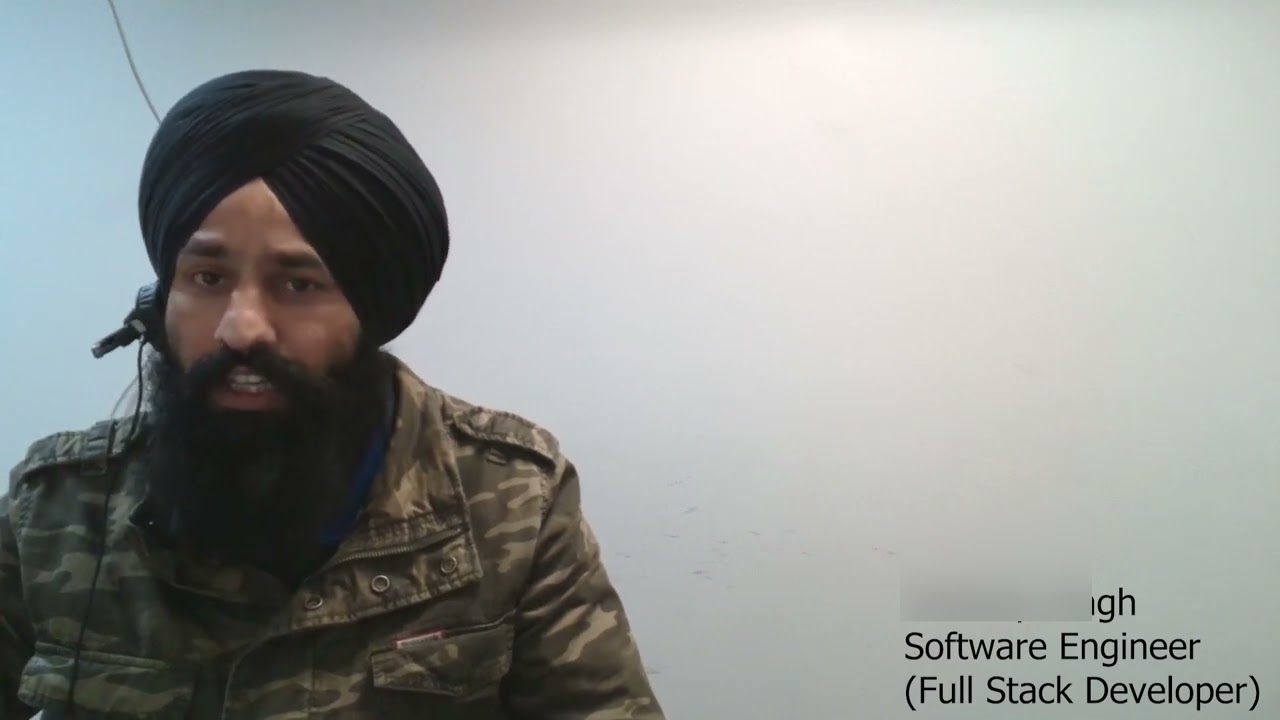
Pardeep

verified teacher icon
£41

60-min

/h

trusted teacher iconTrusted teacher

Front-End Development Masterclass for Beginners/ intermediate and Advance LearningTranslate this text using Google Translate.

Front-End Development Masterclass for Beginners/ intermediate and Advance LearningTranslate this text using Google Translate.

Description: Embark on an immersive journey into the world of Front-End Development with our comprehensive course. Whether you're a budding web developer, designer, or entrepreneur looking to enhance your online presence, this course is your gateway to mastering the essential technologies that power the visual aspects of websites. What You'll Learn: HTML Fundamentals: Master the building blocks of the web with HTML. Create structured and semantically meaningful web pages. CSS Styling and Layout: Dive into the world of CSS for styling and layout. Implement responsive design and create visually appealing interfaces. JavaScript Essentials: Explore the fundamentals of JavaScript programming. Learn to manipulate the Document Object Model (DOM) for dynamic web content. jQuery for Rapid Development: Harness the power of jQuery to simplify complex JavaScript tasks. Build interactive and animated web elements with ease. Asynchronous JavaScript (AJAX): Understand asynchronous programming concepts. Implement AJAX for seamless data retrieval and dynamic content updates. Real-World Projects: Responsive Web Design: Craft a responsive and mobile-friendly website using HTML and CSS. Interactive UI Elements: Develop dynamic user interfaces with JavaScript and jQuery. AJAX-Powered Applications: Build a data-driven web application with asynchronous data loading. Why Choose Our Course: Hands-On Learning: Apply your skills through practical, real-world projects. Experienced Instructors: Learn from industry professionals with extensive Front-End Development experience. Portfolio Building: Create a robust portfolio showcasing your skills to potential employers. Collaborative Environment: Engage in collaborative coding exercises to enhance your problem-solving skills. Who Is This Course For: Aspiring Web Developers Designers transitioning to Development Entrepreneurs managing their online presence Anyone interested in creating engaging and responsive websites Join us in this exciting journey to become a Front-End Development master. Enroll now to transform your web development skills and bring your digital visions to life!

Video thumbnail
Play icon
Pardeep's video

Kim

verified teacher icon
£46

60-min

/h

trusted teacher iconTrusted teacher

Character Design Crash Course From a Former Netflix Character Designer and AnimatorTranslate this text using Google Translate.

Character Design Crash Course From a Former Netflix Character Designer and AnimatorTranslate this text using Google Translate.

Hi there, I'm Kim! I hope you’re well! Thanks for dropping by. About the course: I'm here to share all I've learned with students of all skill levels and age groups. As with many things, the best way to learn is to do. I will therefore take you through the entire professional process of designing a character for an animated project - from the fundamentals of anatomy drawing, to the initial research stage to iteration sketches, all the way through to the final model sheets! By the end, you will have created a memorable character that is unique, full of appeal, exuding personality, and ready to be animated. And you will have gained a valuable insight into the weird and wonderful world of professional character design. --------------------------------- About me: I am a professional character designer and illustrator from Australia, currently based in London, UK. In 2019, I graduated with the Bachelor of Design in Animation with First Class Honours from the University of Technology, Sydney. Since graduating, I have had the privilege of working as a character designer and animator on the Netflix animated series, ‘Adventure Beast,’ enjoyed a design internship with Cheeky Little Media, and have also had the pleasure of illustrating several children's picture books for Playtime Books. These days, I am designing characters for Hey Daisy Moon, and have been tutoring character design, cartooning, and general drawing skills to students of all ages since 2021. If you have a passion for bringing exciting characters to life, or just want to improve your drawing skills, I would love to help you achieve your goals! In any case, I wish you a wonderful day. Kim

Francisco

5.0

2 reviews

(2)

£42

60-min

/h

trusted teacher iconTrusted teacher

PYTHON programming with PhD student in Geophysics with 7+ years of experienceTranslate this text using Google Translate.

PYTHON programming with PhD student in Geophysics with 7+ years of experienceTranslate this text using Google Translate.

Hi! Welcome to my class on Python programming! As a PhD student in Geophysics my main tool is my computer. In order to do science one needs to know how to program. I use Python everyday in order to analyze data, run numerical models, plot results and much more. So, let's embark on the journey of learning Python and explore its diverse capabilities together! For beginners: I have designed it for absolute beginners to become at ease with the language within 5 sessions of 1h. Message me to know the 5 classes curriculum and I will be more than happy to share it with you! For intermediate users: If you already know the basics of Python but want to go more in-depth on certain packages this is the right place! Message me and we can discuss what your needs are! I am a professional user of Numpy, Pandas, Matplotlib, os, scipy and many more packages! Are you not sure Python is the right language for you? Check the following out and let me know if you have any questions! First of all, what is Python? According to its creator, Guido van Rossum, Python is a: “high-level programming language, and its core design philosophy is all about code readability and a syntax which allows programmers to express concepts in a few lines of code.” Learning Python is a rewarding experience for several reasons. Firstly, Python is inherently beautiful as a programming language, offering a natural and expressive way to translate your thoughts into code. Its readability and simplicity make coding an enjoyable and intuitive process. The Python language finds applications across various domains, including data science, web development, machine learning and AI. For example, platforms like Quora, Pinterest, and Spotify leverage Python for their backend web development! This versatility makes Python a powerful tool for those eager to delve into different aspects of programming. If this caught your curiosity message me and I'll make you a Python hero! Welcome to the community!

Ofure

£35

60-min

/h

Industry Fashion Designer teaching fashion portfolios, commercial collections and industry-ready design skillsTranslate this text using Google Translate.

Industry Fashion Designer teaching fashion portfolios, commercial collections and industry-ready design skillsTranslate this text using Google Translate.

Fashion design can feel overwhelming when you are trying to build a portfolio, apply to university, improve your fashion projects or create your own collection. You may have strong ideas, but not know how to turn them into clear research, professional drawings, a commercial range or work that looks ready for the fashion industry. I am an industry fashion designer with experience across womenswear, youthwear, jersey, leisurewear, casualwear, partywear, graphics, product development and commercial collection building. I currently work in supplier-side fashion design, developing trend-led product for major high-street retail. I have also worked across girlswear, boyswear, menswear, luxury swimwear and private luxury collection development for high-profile clients. In these lessons, I can help you understand how fashion design works in the real industry. We can work on portfolio development, university portfolio preparation, trend research, customer research, mood boards, colour palettes, fabric direction, Adobe Photoshop, Adobe Illustrator, CADs, technical fashion drawings, range building, tech packs and final presentation. I can also help you build your own commercial fashion design collection from concept to final outcome. This includes understanding your target customer, developing a strong design direction, creating a balanced range, refining silhouettes, choosing colours and fabrics, and presenting your work in a way that feels polished, current and professional. My main specialism is womenswear and youth-market fashion, especially trend-led product for teenage to young adult customers. I can also support projects across girlswear, boyswear, menswear and swimwear, helping you understand how design changes depending on age range, customer, fit, fabric, price point and brand direction. My teaching style is friendly, practical and honest. We will look at your current level, your goals and what your work needs in order to improve. The aim is to help you gain confidence, develop stronger ideas and create fashion work that feels ready for university, internships, placements, graduate roles or your own brand.

Mulkit

£25

60-min

/h

Master Digital & Concept Art: From Basics to BrillianceTranslate this text using Google Translate.

Master Digital & Concept Art: From Basics to BrillianceTranslate this text using Google Translate.

Embark on an artistic journey with our in-depth "Master Digital & Concept Art: From Basics to Brilliance" course. Designed for beginners and budding professionals alike, this class covers every essential aspect of digital and concept art, guiding you toward mastery with a blend of theoretical knowledge, practical exercises, and real-world insights. What You’ll Learn: 1. Artistic Foundations - Grasp the core principles of art, including composition, perspective, anatomy, and storytelling. - Dive into color theory to learn how to evoke emotion and create impactful designs. - Understand light and shadow to bring realism and depth to your work. 2. Mastering Digital Tools - Get hands-on training with industry-standard tools such as Adobe Photoshop, Procreate, and other software. - Explore brushes, layers, textures, and digital painting techniques for efficiency and creativity. 3. Concept Art Essentials - Learn how to develop unique characters, immersive environments, and imaginative props. - Study the process of ideation, sketching, and refining designs to tell compelling visual stories. - Incorporate world-building principles to create cohesive and believable art pieces. 4. Advanced Techniques and Professional Workflows - Develop your skills in dynamic posing, advanced rendering, and detail-oriented design. - Learn how to integrate 3D tools and photobashing to speed up your workflow. - Gain insights into presenting and pitching your work to studios, clients, or collaborators. 5. Portfolio Development - Build a polished, professional portfolio tailored to your artistic goals. - Receive personalized feedback and tips on creating standout pieces that showcase your expertise. This course combines step-by-step lessons, real-world projects, and expert mentorship to ensure you develop a strong artistic foundation while exploring your unique style. By the end, you'll not only have a portfolio you’re proud of but also the confidence to take on projects in the entertainment, gaming, or creative industries. Whether you're looking to kickstart your career or enhance your creative skillset, this class is your gateway to becoming a master of digital and concept art.

PreviousShowing results 1 - 25 of 1631 - 25 of 163Next

Our students from London evaluate their Computers & Electronics teacher.

To ensure the quality of our Computers & Electronics teachers, we ask our students from London to review them.

Only reviews of students are published and they are guaranteed by Apprentus. Rated 4.8 out of 5 based on 33 reviews.

Nick's approach is patient and thorough, informative and imaginative as well. He always comes up with his own examples in order to test my knowledge on a given exercise and helps me get to the answer at my own pace, rather than handing it to me. He doesn't use a one-size-fits-all method, but rather tailors his lesson in order to get out my full potential, even in a field I find difficult. He makes himself available for additional questions and is overall great to work with!

Emna is an excellent teacher. Emna makes every lesson fun to learn and my son (9 years) is having fun learning to code. He has taken so much interest after starting Python with Emna that he started coding himself after just 10 lessons! Highly recommend Emna.

Katerina is an excellent tutor and very easy to work with. I very much enjoyed my lessons with her. Lots of information and good advise. She came well prepared with relevant printouts etc. Looking forward to learning with Katerina again! Thank you 😊

To ensure the quality of our Computers & Electronics teachers, we ask our students from London to review them.

Only reviews of students are published and they are guaranteed by Apprentus. Rated 4.8 out of 5 based on 33 reviews.

Map
Map